Design Integration Video Critique

Static Vision Board Critique with Jose Caceres

February 19, 2020

Giving Critique

For this video critique project, I teamed up with Jose Caceres. Jose and I have been classmates for the past eight months, and I am consistently impressed by his work and honesty. During the first video meeting, we discussed the Static Vision Board projects and critiqued each other’s work.

Giving a live critique felt far more personal and interactive than a written critique. Conducting the critique over live video chat made it feel slightly less personal than a face to face meeting. However, a video critique is the best form of communication when you are separated by three time zones, as Jose and I happen to be.

Vision boards don’t have to be printed to effectively demonstrate textures and colors. By sharing screens during the meeting, Jose and I were able to display the vision board being discussed. In addition, working together on previous projects made it easier for me to give candid, honest feedback without worrying about Jose’s reactions.

Honestly, I could have prepared more for the first critique. I had already viewed Jose’s static vision board, but I did not read his rationale in advance. Reading and understanding his rationale would have given me an opportunity to find sources that support or contradict his decisions. However, Jose made a strong presentation prior to my critique.

Receiving Critique

In the first video meeting, Jose and I each made a verbal presentation explaining our vision board before receiving a critique. As we have different concepts of the Boxpark Sushi brand, these presentations served to introduce the brand beyond the visuals shown in the vision boards. We each talked about our brand’s differentiation, target audience, voice and tone. Color and typography choices were also explained.

Our choice to present before critiquing made it easier to introduce our brand concepts but limited the scope of critiques as many issues were already covered during the presentations. For the most part, my work was received in that way I intended. However, Jose had several helpful insights and suggestions. One of these suggestions was the idea of using the Sushi Sensei as a brand mascot.

I was prepared to answer questions about my work, and Jose and I agreed on most of the design choices. Jose’s critique did not prompt any major changes to the vision board. However, his observations shed light on refinements that could improve my work for this brand and on future vision board designs.

Dynamic Vision Board Critique with Jose Caceres

February 26, 2020

Giving Critique

One week after discussing our static vision boards, Jose and I had another video meeting to critique our dynamic vision boards. This time, we decided to offer critiques immediately after watching each other’s projects without an introduction or explanation. This helped make the critiques more like discussions in which we could answer each other’s questions.

I was more prepared for this week’s critique after viewing Jose’s dynamic vision board in advance and reading his rationale for the project. I was also already familiar with his brand concept, the target audience, and other brand details that we had previously discussed. This helped focus the critique on the motion elements and stylistic choices used in the dynamic vision boards.

The technical issue of not being able to hear audio from videos played on the other person’s computer made our meeting less than ideal, but Jose and I were still able to analyze each video shot by shot. Although I understood and appreciated Jose’s design choices, I offered a few suggestions that I hope will help him move forward with his designs for Boxpark Sushi. For example, his logotype could be more legible when set against a solid background instead of a pattern.

Receiving Critique

The majority of the motion elements in my dynamic vision board were received in the way I intended. However, Jose felt that the peppy music bed did not match his previous conception of the brand and its educational aspect.

I intentionally chose an upbeat, high-energy piece of music that would emphasize the fun aspect of the brand. A teacher, even a karate sensei, does not necessarily have to be serious. The Sushi Sensei and Boxpark Sushi brand as a whole should have the image of a smart, funny friend rather than a stodgy know-it-all.

Jose’s questions and comments helped me reexamine the way I will present my version of the Boxpark Sushi brand in the coming months. The video critique helped boost my confidence that the project is headed in a strong direction and is based on a sensible design strategy. It also provided valuable experience in presenting and defending my ideas.

The video critique was also an opportunity to share ideas and techniques with a peer in the design field, something I often lack in my daily life. Designing in a bubble can be a lonely and lead to monotony. I look forward to more opportunities to interact with my fellow designers in the Media Design MFA program.
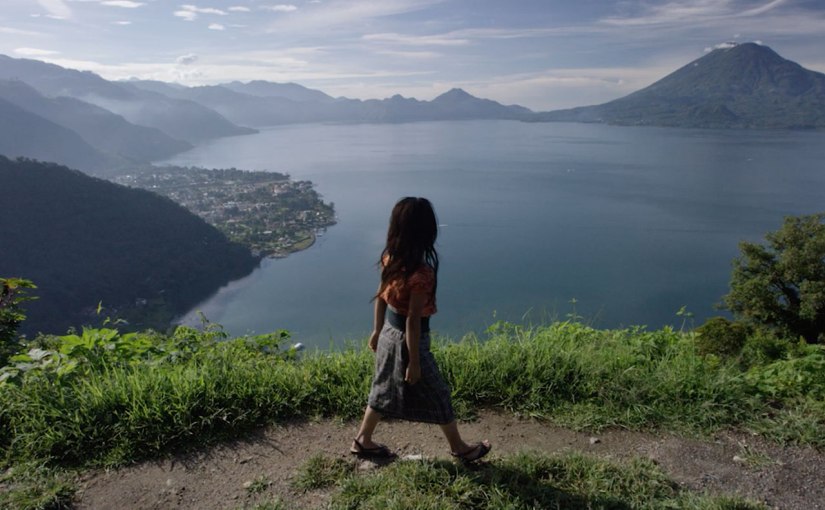
Dynamic Vision Board

Previous development of the fictional Boxpark Sushi brand determined that the brand voice is wise and friendly, and the tone is playful. These traits are demonstrated in the dynamic vision board, a motion design video created in Adobe After Effects. Typography, primary colors, and directive words were established in the brand’s static vision board but adjusted after critiques from Jose Caceres and Dr. Adam Baldowski.

Motion

Attribution free stock video clips were selected from Pixababy and Pexels after searching general terms like “fun” and “laughter” to find inspiring images with orange and blue colors similar to the brand color palette established in the static vision board. Also, specific search terms like “sensei” and “water drop” helped find desired clips.

The motions and editing are energetic yet fluid like a martial art. Transitions are smooth and organic with no hard cuts. These traits reflect the fun yet wise brand personality, the Mr. Miyagi-esque “sushi sensei” who represents the Boxpark Sushi brand. Many visual elements are introduced by scaling up from small to large, utilizing the concept of “looming motion” to capture attention. Looming motion occurs when visual stimuli get larger or closer, capturing more attention than receding motion because “…looming objects are more likely than receding

objects to require an immediate reaction…” (Franconeri & Simons, 2005). In other words, the human brain is hard-wired to recognize potential threats such as an approaching predator. This human instinct is frequently called upon in motion design to draw attention to specific visual elements.

Sound

The music bed “Yellow Rose of Berkeley” by Rondo Brothers was selected from the Youtube Audio Library because of its upbeat tempo and fun energy. The musical frequencies of the piece were also considered, as midrange to high frequencies can convey happiness and forward thinking (Gillespie, 2019).

The claps in the beat provided edit points to pop in the vector sushi elements and final logo. Because the original music was almost two minutes long, a shorter thirty second version was edited in Adobe Audition. Chalkboard scratches, laughter, and other sound effects were also added from Adobe free sound effects to add depth to the animation.

Colors and Textures

Boxpark Sushi’s primary and secondary colors are orange and light blue, reflecting the energy and wisdom of the brand. These colors are displayed in the video clips and graphic elements of the dynamic vision board. The two complementary colors are balanced between warm and cool, providing a harmony that balances the energy of the motions.

The blackboard background texture used in the brand’s static vision board is carried over to the dynamic vision board. This texture represents the educational nature of Boxpark Sushi and the sushi sensei while providing an organic neutral background for graphics and text.


References:

Franconeri, S., & Simons, D. (2005). The dynamic events that capture visual attention: A reply to Abrams and Christ (2005). Perception & Psychophysics, 67(6), 962.

Gillespie, C. (2019). Background Music for Video: How to Pick The Perfect Track. https://www.vidyard.com/blog/background-music-for-video/

Adobe Premiere editing challenge

This video editing project was completed for the Organizational Structures course in the Media Design MFA program from Full Sail University. Edited from footage provided by Adobe.com.

Connecting, Synthesizing, Transforming

I’ve been editing with Adobe Premiere since 2008, but there’s always something new to learn. Every update has new features. The November 2019 release (version 14.0) includes graphics and audio enhancements, plus the new Auto Frame tool that applies intelligent framing to footage, keeping the action inside different aspect ratios like square or vertical video. Although I didn’t use the Auto Frame tool in this project, I can see how it could be useful when converting aspect ratios for posting videos to social media.

Solving Problems

The “Going Home” video used by Maxim Jago as an example in the Adobe tutorials was a good demonstration of Premiere’s tools, but the pacing of the edit felt slow. I decided to cut a shorter version using the same music, voiceover, and footage.

On this project, I started by editing the audio. The first step was to remix the music to be a shorter duration. The music Remix tool in Adobe Audition’s Essential Sound panel works like magic, retiming music to your desired duration with the need to manually cut and apply crossfades to clips. Unfortunately, this tool is not currently available in Premiere’s Essential Sound panel. After retiming the music to 40 seconds, I imported it to Premiere and dropped it in the timeline. Next, I dropped in the voiceover and cut it with the Razor tool into separate clips. I moved these clips around until the pacing felt right.

After editing the audio, I started adding video clips. When editing to music or voiceover, I tend to set both in and out points on the timeline to match beats. In the source panel, I will set only an in or out point, then use the Overwrite edit shortcut to drop the clip in place. Following the tutorials, I added transitions and type. One interesting thing I learned was that Premiere is very good at Time Remapping, changing playback speed. I have always used After Effects for speed changes, but Premiere can now time remap up to 20,000 percent. Wow.

Innovative Thinking

This design challenge demonstrated my ability to edit with Adobe Premiere, but unfortunately, I don’t think I did anything particularly innovative in the project. If I had more time this week, I would have liked to learn about Character Animation or more about the visual effects tools built into Premiere.

Acquiring Competencies

For many years I’ve used Audition for audio and After Effects for the majority of my motion designs and visual effects work, but many of the tools are now integrated into Premiere. Using the Essential Sound panel for audio improvements and Lumetri Color panel for color grading will speed up my workflow on future editing projects.

After Effects design challenge animation

Motion design by Joshua Siegel

Connecting, Synthesizing, Transforming

I started using Adobe After Effects in 2009 to create titles and visual effects for my independent films. Websites like Creative Cow and Video Copilot taught me the basics, but there’s always something new to learn.

The After Effects Get Started course on Adobe’s website covered the basics of After Effects CC, but I wanted to challenge myself for the project. The LinkedIn Learning courses After Effects: Principles of Motion Graphics by Ian Robinson (2019) and After Effects CC 2019 Essential Training: Motion Graphics by Alan Demafiles (2019) provided additional concepts and techniques.

Solving Problems

Step 1 – Concept: I wanted to create a nature-inspired animation that leads the viewer through a scene. First, I found a peppy music bed called “Little Tiny Song” by Matai on freeadmusic.com and used Adobe Audition to edit a 20 second remix of the song. The childlike cheerfulness of the music inspired me to use simple cardboard cutout style shapes to create most of the graphic assets.

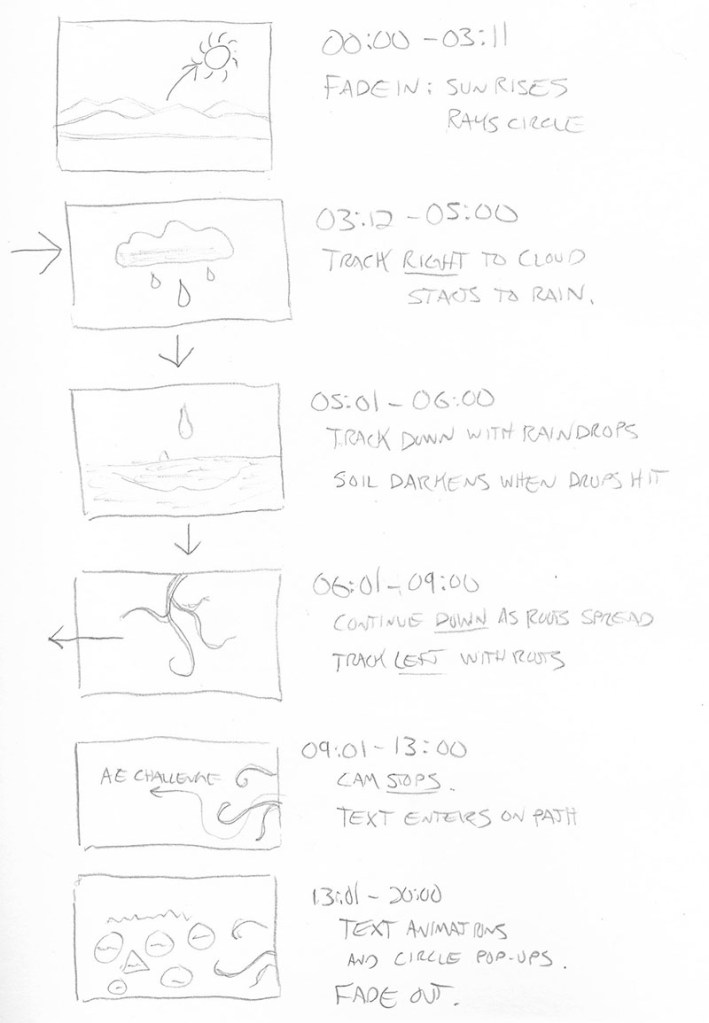
Step 2 – Storyboarding: After marking the music beats, I drew Storyboards with rough timing.

animation storyboard

Step 3 – Animation timing: I created a 1920 x 1080 Composition and drew several Shape Layers to represent the ground, mountains, sun, cloud, and raindrops. I added a Camera to the composition and made the shape layers 3D. I parented the camera to a Null Object and Keyframed the null object’s position to move it through the scene.

Step 4 – Details and refinement: After roughly timing the layer animations and camera movements to sync with the music, I added details like Textures, a Repeater animation on the sun rays, Write-on Effects for the roots and darkening the wet dirt with a feathered animated Mask set to the Multiply Blending Mode. The roots and text animations were Precomposed, and I used the Graph Editor to fine-tune animation keyframes.

Step 5 – Rendering: Finally, I turned on Motion Blur for all layers and Rendered the final composition using Adobe Media Encoder rather than the After Effects render queue.

Innovative Thinking

This design challenge pushed my Adobe After Effects skills in new directions. The project demonstrated my ability to create complex motion graphics using the tools within After Effects and the concepts of animation and storytelling. Tutorials from Adobe and LinkedIn Learning helped me apply previously unknown features and effects to the project.

The final composition moves the audience through the scene along with the music. If I had more time for the project, there are many details I would adjust. But overall, it shows that I can create complex motion graphics in a short time.

Acquiring Competencies

The most important skill I learned was using the Graph Editor to adjust motion keyframes for more realistic, organic animations. Instead of just applying Easy Ease to keyframes, I used the Graph Editor on the majority of keyframes in the design challenge timeline. This tool will help all my future motion designs feel more natural and realistic.

I also gained experience using other apps and features of Adobe Creative Cloud including Color for palette creation, Photoshop and Illustrator for asset creation, Audition for editing audio, Bridge for previewing animation presets, and Media Encoder for rendering.

Arcadian Short Films (2012-2016)

After the unexpected success of “Bloodwood Cannibals,” I wrote a few more screenplays and tried to sell them or get funding to produce them locally with my production company Arcadian Entertainment.

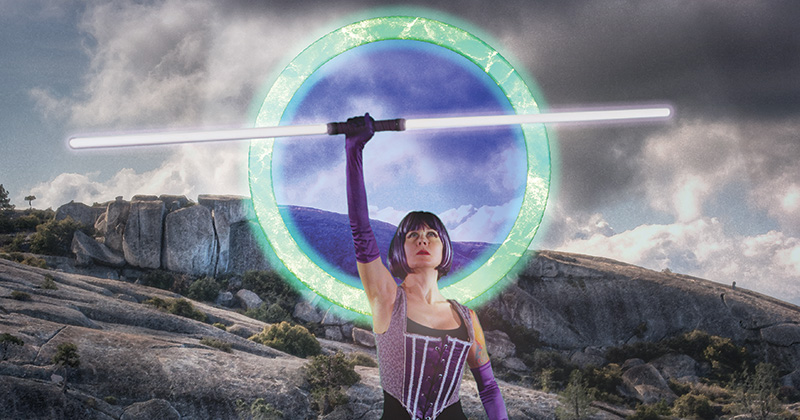
A Midsummer Nightmare

One of those screenplays, “A Midsummer Nightmare”, generated a lot of interest due to its dark take on Shakespeare. I decided to make a prequel short film to help sell the story.

A Midsummer Nightmare – The Betrayal

ToXin

During the long post-production phase of “A Midsummer Nightmare,” I wanted to do another quickie action short like my earlier film “DASH”. So I teamed up with my friend and frequent collaborator L. Jeffery Moore to make “ToXin”.

Toxin

Dream Raiders – Mission Zero

For several years, I worked on the story and conceptual art for a sci-fi series called “Dream Raiders”. The short “Mission Zero” was meant to introduce the series in an exciting way. Looking back, it was one of my weaker films because I was too focused on creating visual spectacle and not on telling a good story.

Dead Drunk

I was itching to make a comedy film, so when actress Cat Campbell pitched the concept of “drunks vs zombies”, I could’t resist. We wrote the script in an afternoon (while drunk) and filmed it in one day (with drunk actors). Fortunately, a sober crew kept things moving smoother than you’d expect.

Dead Drunk

Terminal Glitch

I was writing articles and reviews for Videomaker Magazine, and for one review they loaned me a high-end 4k camera (the exact model escapes me). I wanted to film something a little more interesting than the usual test footage, so I called up some friends for a quick weekend shoot of one of my short sci-fi stories.

Terminal Glitch

What’s next…

“Terminal Glitch” was the last short I directed before getting engaged and teaching at Butte College. In 2018, I was working on a dark comedy called “The Petsitter”, but then the Camp Fire struck.

Although I love making movies, my focus is now on Design and earning my Media Design MFA.

Bloodwood Cannibals

After moving to Northern California, I spent many days hiking in the beautiful forests and mountains. I had the rough idea for a survival horror film, and over time I found several locations that were perfect for the story.

“Bloodwood” was about the disappearance of a documentary film crew, so we made a few online episodes of “Hunting the Unknown” to introduce the characters.

Hunting the Unknown

Hunting the Unknown – episode 1 – Hunting the Chupacabra
Hunting the Unknown – episode 2 – Hunting the Garberville Ghosts
Hunting the Unknown – episode 1 – Hunting the Jersey Devil
Hunting the Unknown – Dave vs the Electric Fence

With a borrowed camera and a minimal cast / crew (most people had multiple roles), we started production on “Bloodwood”.

Just Add Cannibals

It wasn’t the most original idea… just a fun, goofy horror that I expected almost nobody to see. Bloodwood was meant to be practice and a chance to grow as a filmmaker. But after screening at a few horror film festivals, it was picked up for distribution by Eagle One Media.

Their only change was the addition of “Cannibals” to the title, so audiences would know what the movie’s about. Bloodwood Cannibals was sold on DVD across the world and later online.

Bloodwood Cannibals trailer

In 2014, Bloodwood Cannibals was picked up by “Masters of Horror”. It now has almost four million views on Youtube, though I’m pretty sure not everyone watched it all the way through.

Bloodwood Cannibals full length horror movie

After Bloodwood

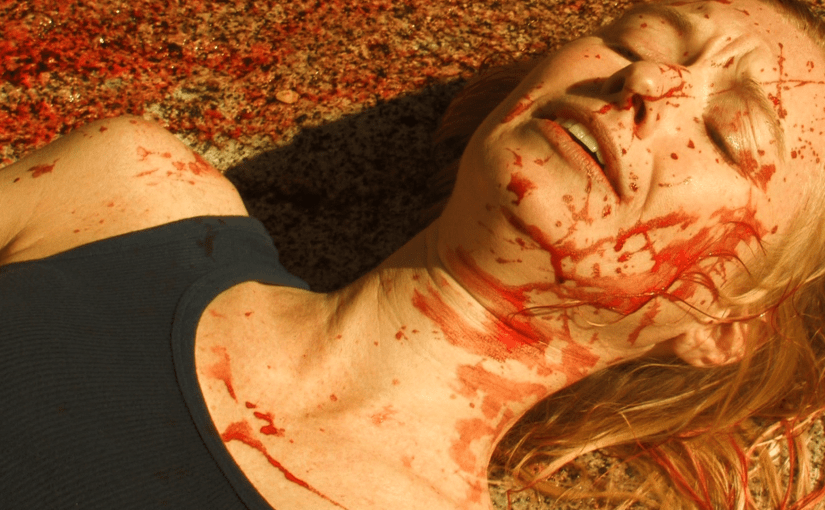
Many of the people I met on Bloodwood (I still think of it by that title) became frequent collaborators in the next phase of my film-making life. We spent many days covered in dirt, sweat, and fake blood… and we had a blast doing it.

The Early Videos

Most of my early home movies were lost in the fire, but fortunately most of my video shorts survive on Youtube.

This first post contains the short films I made while living in LA from 1999-2005.

The Cypher

This is the first short I wrote and directed after college. At the time I was acting but felt typecast in “nerd” roles. I thought the role of Danny, an autistic code-breaker, would help me break out of the mold.

Youtube had a 10 minute time limit for videos when I first uploaded The Cypher, so it had to be divided into three parts.

The Cypher, part 1
The Cypher part 2
The Cypher part 3

AKIRA: The Fan Trailer

Halfway through making The Cypher, I met filmmaker Juan Avilez. We are both huge anime fans, so we decided to collaborate on a live action fan film to honor AKIRA.

AKIRA live action fan trailer

Fallen Sky

Fallen Sky was an ambitious fantasy script inspired by my fiction and artwork. We shot several scenes but I was unable to finish the short after losing access to one of the key locations. It was a huge learning experience, and I used the footage to create a trailer for the unfinished film.

Fallen Sky preview

DASH

I wrote DASH because I wanted to direct an action short that could be completed in a few days. It’s the first of three short films that feature a protagonist racing against a deadline… what I call my “Running Man trilogy”.

DASH

After LA

I left Los Angeles in 2005 to teach English in Thailand and tour southeast Asia. When I returned to the United States in 2006, I settled in the town of Paradise in Northern California.

While working as Media Specialist for the Butte College Foundation, I continued acting in local theater and started planning my first feature film.