

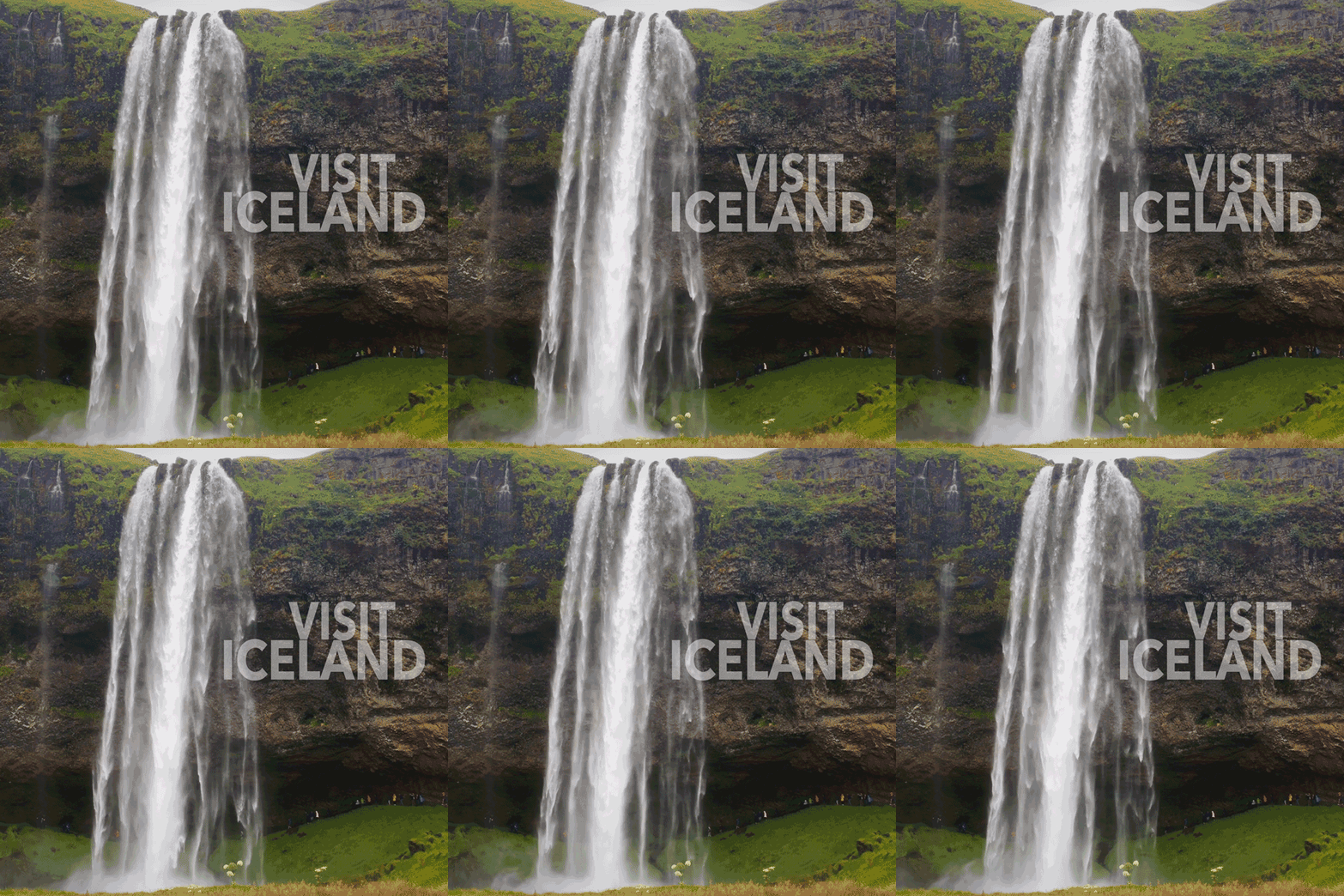
For this week’s design challenge, we were given the choice of creating a Kinetic Typography animation, three Cinemagraphs, moving Parallax Images, or a Motion Poster. I chose to create the Cinemagraphs because I had never created this type of design before.
Connecting, Synthesizing, Transforming
First created in 2011 by digital artist Kevin Burg and photographer Jamie Beck, cinemagraphs are still photographs that contains a small moving element. Animated GIFs have become a popular image format on social media, and cinemagraphs are considered “animated GIF for adults” (Mevorah, 2017).
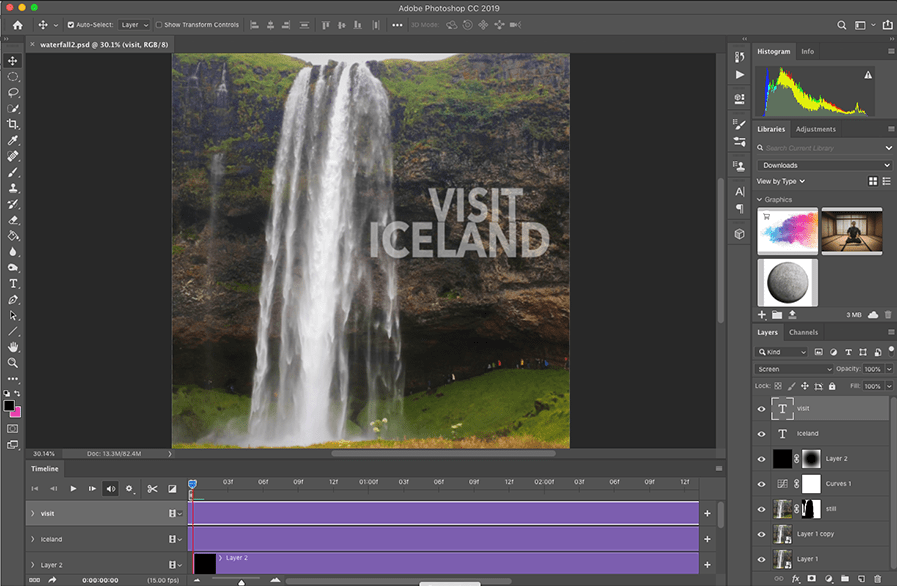
Normally, I do the majority of motion designs in Adobe After Effects, but I wanted to try using Photoshop’s video tools for this project. Duggan (2016) describes how to create a cinemagraph in Photoshop using layer masks and looping videos. His tutorials on LinkedIn Learning helped me create three cinemagraphs and export the animated GIFs. Popa (2018) provided additional information on how to optimize the file size of animated GIFs to reduce the load time.

Solving Problems
I started by downloading royalty free stock videos from Videezy. For each cinemagraph, I imported the video file into Photoshop and changed the aspect ratio (frame size) to a square. Next, I looped the video by splitting it and adding a cross dissolve to hide the edit. I chose the best still frame and freeze framed it on a layer above the video. After selecting the part of the image that would show motion, I created a mask on the still layer to reveal the video below it.
To make each cinemagraph feel like a piece of content marketing, I added text with the opacity set to screen mode so it was semi-transparent. The final step was exporting full-sized MP4 videos and web-optimized animated GIFs. I was able to do all of this within Photoshop, making the workflow more efficient than using multiple applications.

Innovative Thinking
The Hawaii cinemagraph was the most challenging because there was no place to smoothly loop the video. Instead, I used time remapping to make the video bounce back and forth in time. While not very realistic, this “ping-pong” type motion is used in many animated GIFs that are shared on social media.
Acquiring Competencies
Although I was somewhat aware of Photoshop’s video features, I was more accustomed to working in After Effects. This design challenge taught me the benefits of working with video in Photoshop, especially for content marketing projects. I had seen many cinemagraphs online, but I did not know that the medium had a name, who had created it, or how it could be used in both advertising and fine art.
Reflection
I’m glad I decided to create the cinemagraphs, because it was a very new experience. I will definitely create more in the future, as content marketing for clients and as personal creative exercises. I would like to try animating elements of classical paintings that are in the public domain. Many of the same techniques can be used for creating motion posters. Although I didn’t create a poster for this challenge, I plan to do so for any future film projects.
References:
Duggan, S. (2016, April 6). Creating a Cinemagraph in Photoshop. Retrieved from https://www.lynda.com/Photoshop-tutorials/Create-Cinemagraph-Photoshop/471669-2.html?org=fullsail.edu
Mevorah, V. (2017, May 21). What is a Cinemagraph? Retrieved from https://www.widewalls.ch/cinemagraph/
Popa, G. (2018, July 19). 6 Incredibly Simple Tricks to Reduce the Size of your Animated GIFs. Retrieved from https://blog.bannersnack.com/reduce-the-size-animated-gifs/
 Joshua Siegel's Mastery Journal