

Reflection
The Organizational Structures course provided deep knowledge about the structures of motion, storytelling, and design employment. New skills were developed for both academic and occupational applications. This paper examines each assignment and the resources used to complete the assignment.
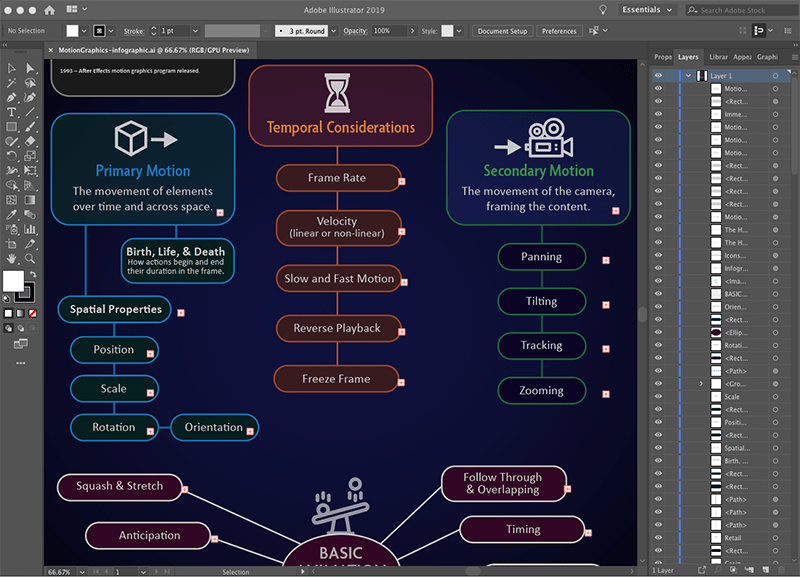
Week one began with research into the structure of motion. Krasner (2013) provided a brief history of motion graphics, examples of motion graphics in public spaces, and the basic concepts of motion literacy including the principles of animation. The first assignment for the week’s mastery journal was to create an infographic based on what we learned from the readings. Tutorial videos by Harmer (2019) demonstrated how to create vector infographics with Adobe Illustrator.
Also in week one, we were assigned groups for a video discussion. Although this discussion would not take place until later in the month, our group connected by email to discuss availability for an online meeting. The purpose of this meeting was to meet our peers and share what we learned in the class.
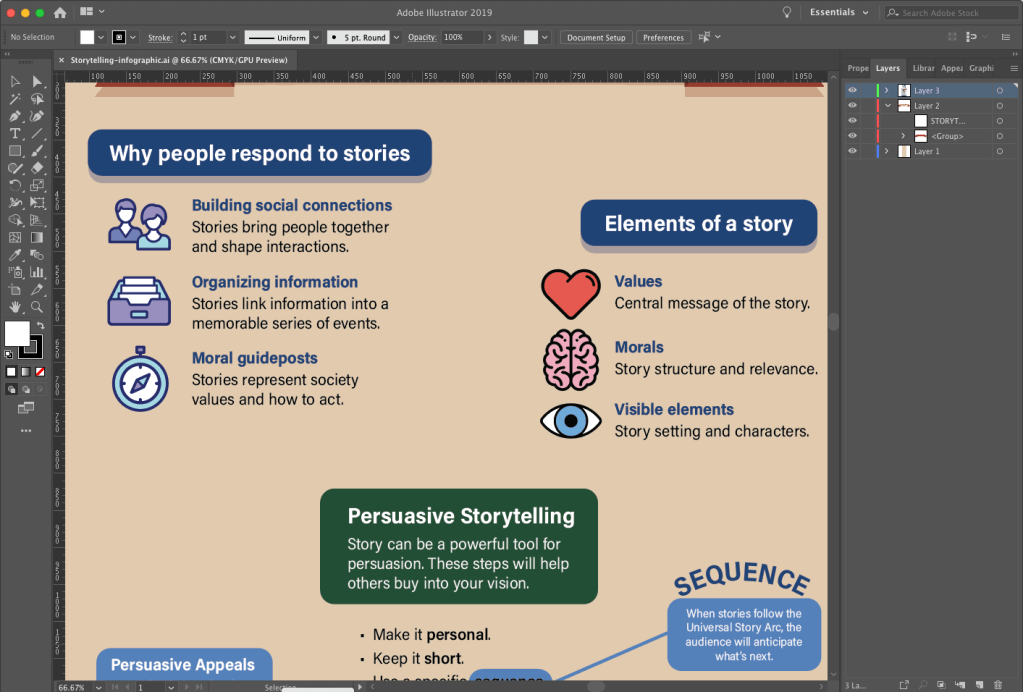
In week two we researched the structure of storytelling in design. Krasner (2013) described conceptualization in motion design. Huber (2017) supported Krasner’s ideas for creative inspiration and using previsualization techniques like concept sketches and storyboards to develop story ideas. She also provided insight on storytelling with video, from preproduction to post-production. The assignment for this week’s mastery journal was to create another infographic based on what we learned from the readings.
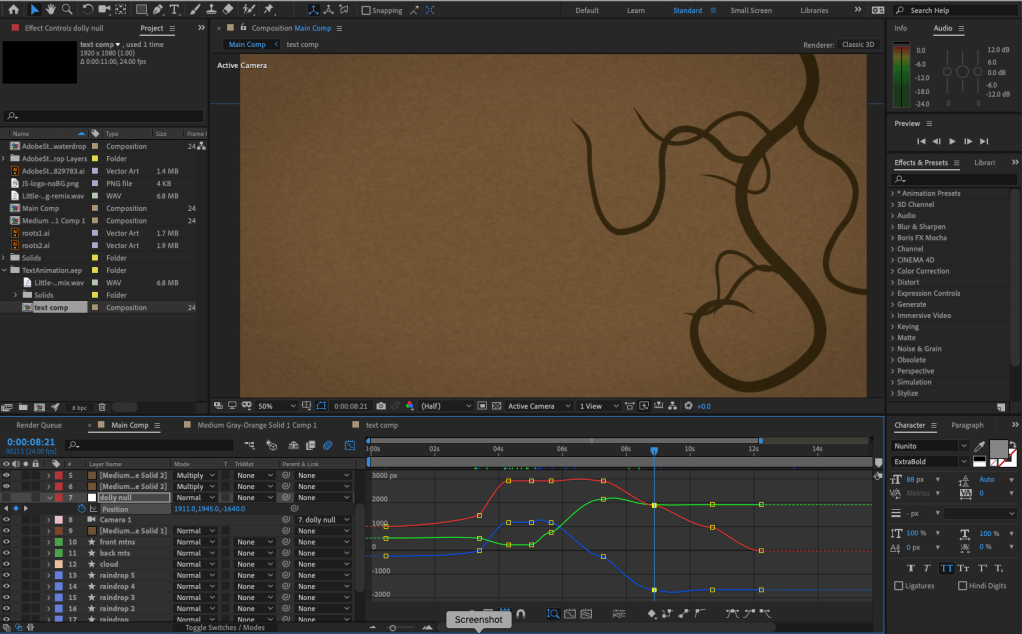
Week two also contained an After Effects Design Challenge to demonstrate our motion graphics skills. Video tutorials from Robinson (2019) imparted new knowledge and skills within Adobe After Effects like using the Graph Editor to make keyframed movements smoother and more natural.
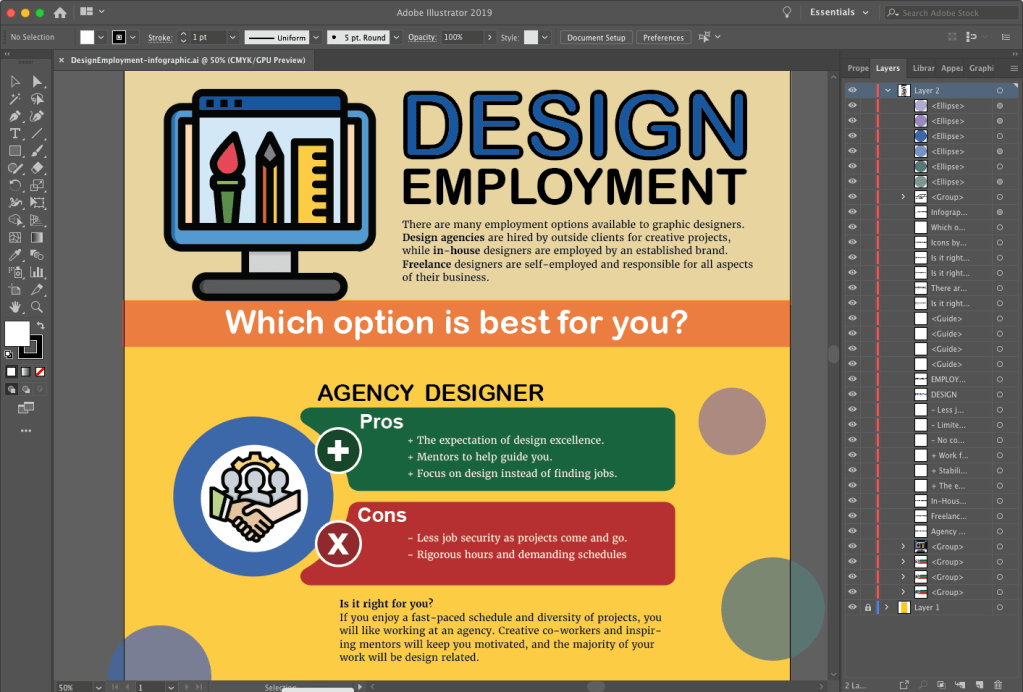
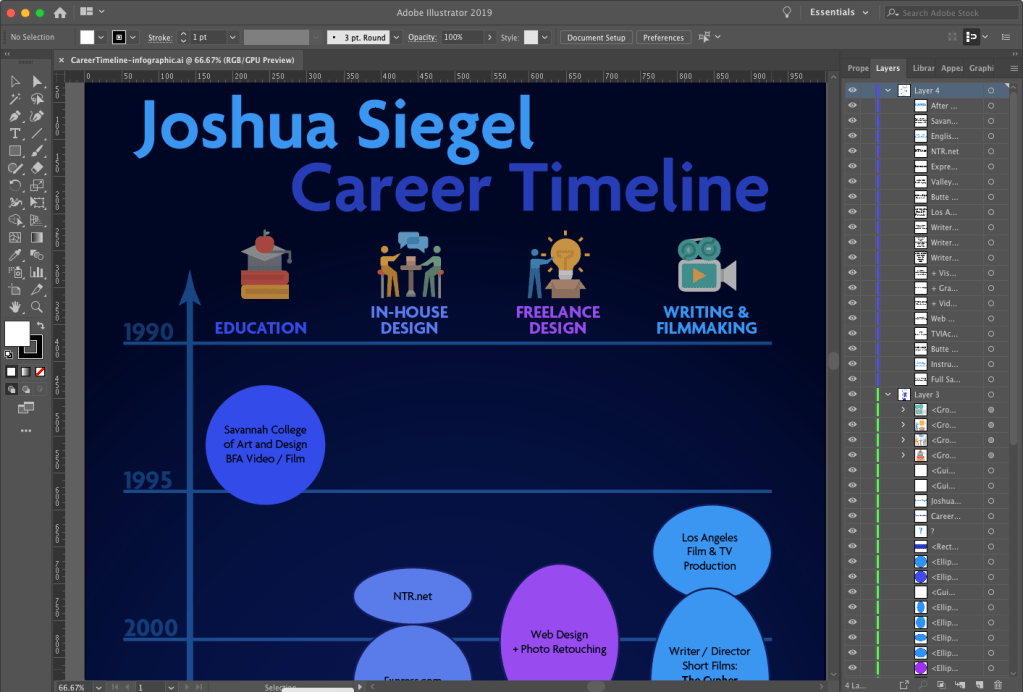
In week three we researched the structure of design employment. Articles by Flavin (2017), Castillo (n.d.), and others described the pros and cons of working in-house, with a design agency, and freelance. This information was used to create another infographic for the mastery journal. In addition to this infographic outlining what we learned about design employment, we created a visual timeline of our employment in the different employment sectors.
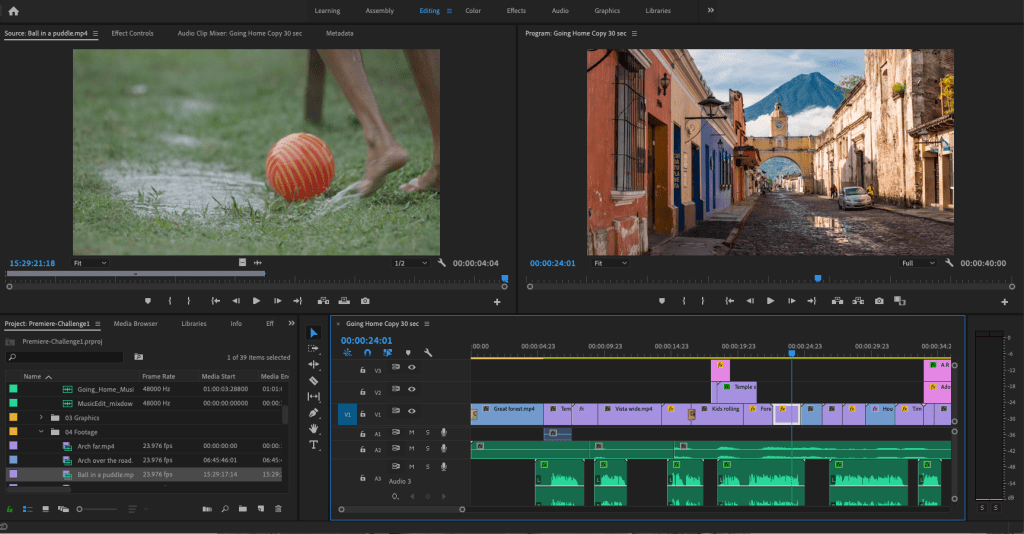
Also in week three, we completed a Premiere Pro design challenge. The “Going Home” video used by Jago (2017) as an example in the Adobe tutorials was a good demonstration of Premiere’s tools. I edited a forty second video using the music, voiceover, and footage provided in the tutorial sample files.
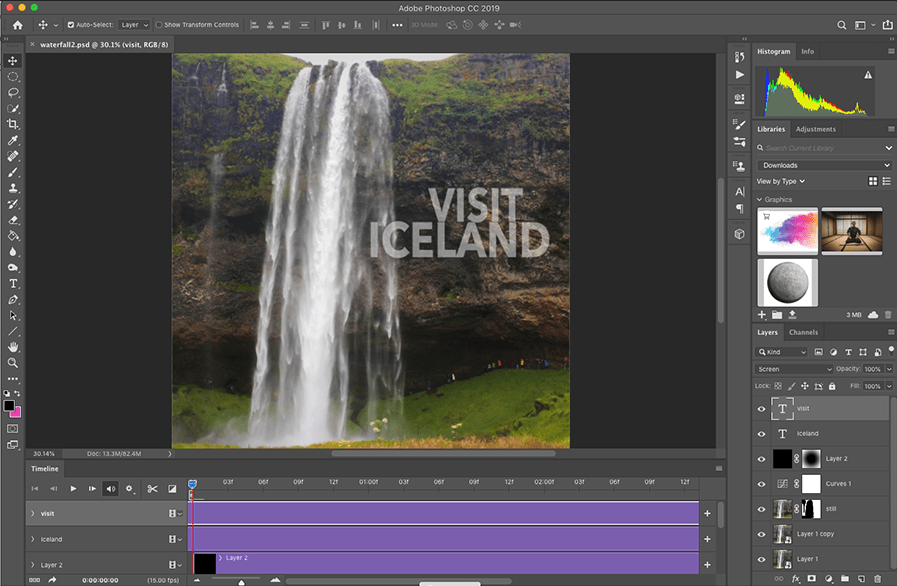
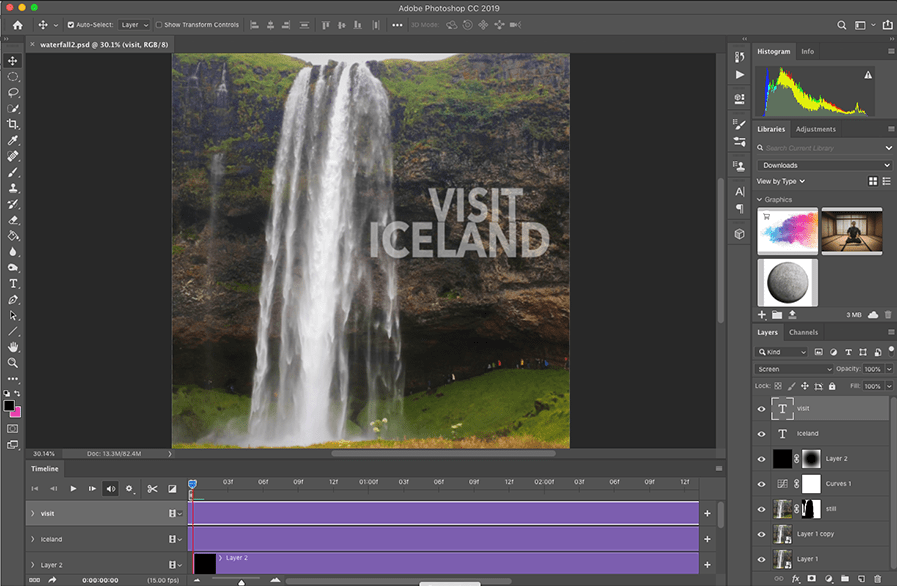
For week four’s design challenge, students were given the choice of creating a Kinetic Typography animation, three Cinemagraphs, moving Parallax Images, or a Motion Poster. I created the cinemagraphs in Photoshop, following tutorials from Duggan (2016).
Week four imparted the academic knowledge and practice of creating an annotated bibliography. We learned that the annotated bibliography is not a summary. Instead, it is an analysis of the central theme and scope of the article or book. The six sources of motion and storyboarding information researched for this assignment are useful resources for future courses.
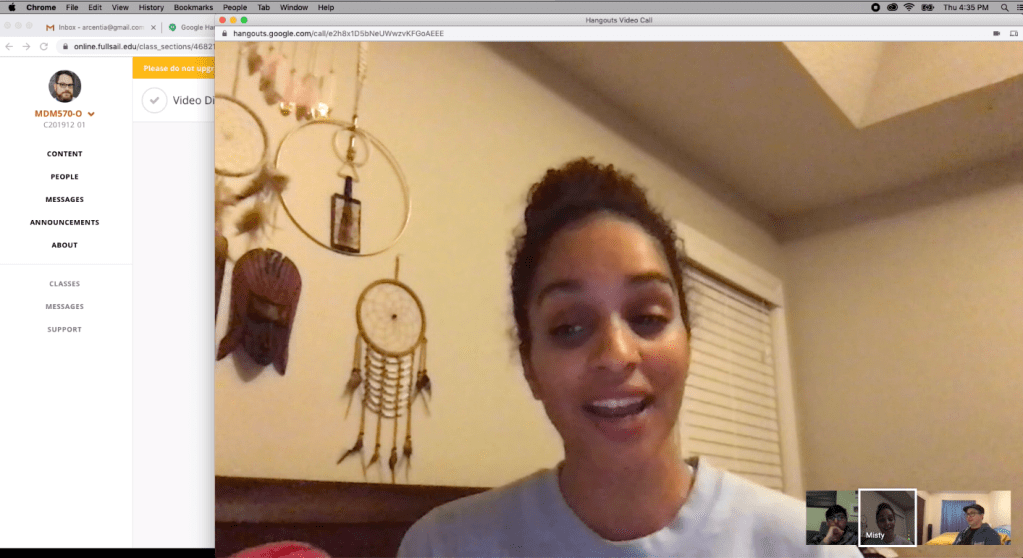
The video discussion arranged in the first week took place on Thursday, December 19. Our group discussed the assignments and learning materials, as well as sharing examples of motion design storytelling in real-world applications like motion posters for films. The meeting effectively wrapped up our experience in Organizational Structures by sharing with our peers.
Connecting/Synthesizing/Transforming
This month’s research and assignments imparted a great deal of information, both conceptual and technical. Krasner (2013) provided a wide perspective on the history, concept, and techniques of motion design. He emphasized that storyboards are a valuable tool for conceptualization and ideation, in addition to outlining a story in the preproduction stage. Huber (2017) supported the importance of developing stories with previsualization tools like concept sketches and storyboards.
For the After Effects design challenge, I used storyboards to plan, plot, and time my motion graphic.
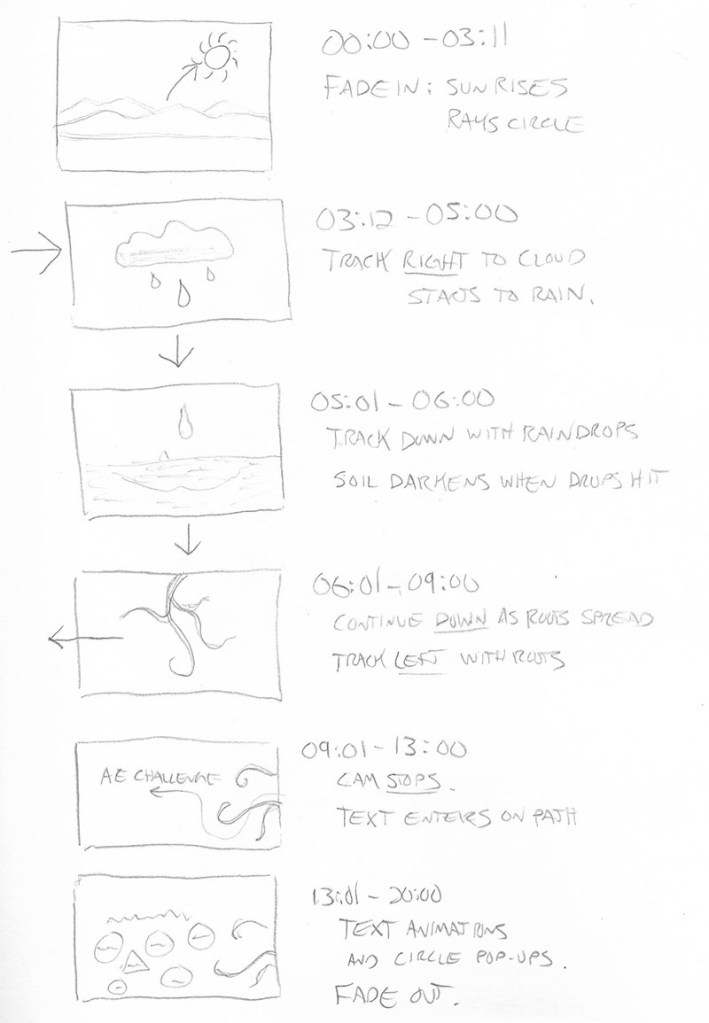
I transformed this knowledge into a 20-second animation that follows the movements of nature (a rising sun, falling rain, and growing roots) to illustrate the Principles of Animation created by Disney animators and explained by Krasner (2013). While creating the motion graphic, I consulted LinkedIn Learning tutorials by Robinson (2019) for technical ways to make animations follow the principles more closely. This research revealed how to use easy ease key-framing and the graph editor to make movements smoother and more organic.
Problem Solving
One design problem I resolved this month was the pacing of the Premiere Pro design challenge video. The “Going Home” promo video edited by Jago (2017) as an example in the Adobe tutorials was a good demonstration of Premiere’s tools, but the pace of the 60-second edit felt very slow and plodding compared to the upbeat music and imagery. I first created a 30-second edit that was too fast-paced, so I tried another 40-second cut. This edit contained all the information of the example video, but with a pace and run-time more appropriate for the short attention spans of social media.
Innovative Thinking
This month I created my first infographics and cinemagraphs. Although I am proud of my first efforts, they do not yet compare to the work of professional designers. Much more practice and experimentation are needed to get to that level. My video editing and motion design skills are more developed, but still need much improvement.
Creating my first cinemagraphs required going outside my comfort zone to work with video in Photoshop. The first two were relatively straight forward, but the Hawaii postcard cinemagraph was more challenging because there was no easy way to make the video loop. Instead, I used time remapping to make the video bounce back and forth in time. While not very realistic, this “ping-pong” type motion is used in many animated GIFs that are shared on social media.

Acquired Competencies
The following are concepts, skills, or new resources learned in the Organizational Structures course. They are categorized as Academic (pertaining to school work) or Occupational (pertaining to work in the Media Design field), and Technical (pertaining to software or other design skills) or Conceptual (new terminology, procedures, or ideas).
Academic
| Technical | Conceptual |
| A story’s theme is its underlying message. A story’s tone should align with its audience, its values, and its message. Story Elements: Values: central message of the story. Morals: story structure and relevance. Visible elements: story setting and characters. Logline: a one sentence summary that conveys the central message of the story. A creative portfolio is not about showing 20 decent pieces, it’s about showing 5 great pieces. Motion Graphics in Public Spaces: LED technology makes large public displays more interactive and purpose driven. Motion Graphics in Film, Television, and Interactive Media: Animation can entertain, inform, and drive audience participation by combining traditional graphic design with the visual language of film. BENSOUND is an excellent resource to find royalty-free music for motion graphics and video presentations. AIGA: the professional association for design offers resources for students and professional designers. | Precursors of Animation: Multiple optical devices used the persistence of vision phenomenon to achieve early forms of animation. Early Cinematic Inventions: Animation evolved with motion pictures in many forms including stop-motion and cell animation. Experimental Animation and Innovators: Animators create new techniques for motion design and pure artistic expression. Aristotle’s Three Persuasive Appeals: Ethos – The credibility of the speaker or story. Logos – The logic of a story’s message. Pathos – The emotional engagement of the audience. Synaesthesia: a merging of senses (ie: hearing colors). Causal Reasoning: the process of identifying relationships between a cause and a corresponding event. Designs can be “hacked” by repurposing existing images and ideas. Communication skills and availability are essential for freelancers. Mentors can often be found at design agencies. |
Occupational
| Technical | Conceptual |
| Principles of Animation: The basic language of how objects move was established by Disney animators and described in the book The Illusion of Life by Frank Thomas and Ollie Johnston (1995). Materials: real-world textures, materials, and found objects can provide inspiration and add authenticity to design. Audience Segmentation: analyzes audience characteristics including demographics, psychographics (i.e., personality), and firmographics (or business setting). Affective Primer: the process of manipulating the emotions of an audience before the message is delivered. Creating Adobe Illustrator Infographics: Adobe Illustrator, Microsoft Excel, and other programs provide many tools for creating data-driven illustrations. Adobe After Effects Graph Editor adjusts motion keyframes for more realistic, organic animations. Lumetri Color panel allows for easy color grading within Adobe Premiere. Essential Sound panel lets you improve sound quality within Adobe Premiere. Cinemagraphs are still photographs that contains a small moving element. | Universal Sequence or story arc: Set up – Establishes time, place, and characters. Tension point – A problem or challenge is presented. Turning point – A possible solution or twist is introduced. Resolution – The conclusion reinforces the core message. Pictorial Continuity: cohesion in content and style of visuals. Sequential Continuity: logical flow of events between frames. Primary (Object) Motion: Animation of an element’s spatial properties and how it moves over time and across space. Secondary (Camera) Motion: Movement of the camera and how it frames the content. Temporal Considerations: Linear movements mimic mechanical devices, while non-linear movements are more natural. Techniques such as slow motion and reverse playback can alter the sense of time. In-house designers must be proactive, otherwise they are just following orders. The primary role of in-house designers is explaining the brand to consumers. Freelance designers can often pick up jobs from overloaded design agencies. It’s important to be aware of current design trends and knowledgeable of graphic design from the past. |
References:
Castillo, R. (n.d.). In-house, agency, or freelance—what’s right for me? Retrieved from https://www.aiga.org/aiga/content/inspiration/in-house-agency-or-freelancewhats-right-for-me/
Duggan, S. (2016, April 6). Creating a Cinemagraph in Photoshop. LinkedIn Learning. Retrieved from https://www.lynda.com/Photoshop-tutorials/Create-Cinemagraph-Photoshop/471669-2.html?org=fullsail.edu
Flavin, B. (2017, July 24). Where Do Graphic Designers Work? In-House vs. Agency vs. Freelance. Retrieved from https://www.rasmussen.edu/degrees/design/blog/where-do-graphic-designers-work/
Harmer, T. (2019, July 19). Illustrator Infographics. LinkedIn Learning. Retrieved from https://www.linkedin.com/learning/creating-illustrator-infographics/illustrator-infographics?u=50813145
Huber, A. (2017). Telling the Design Story. Focal Press. Retrieved from https://learning.oreilly.com/library/view/telling-the-design/9781351849210/
Jago, M. (2017, September 20). Create a project and import a clip. Retrieved from https://helpx.adobe.com/premiere-pro/how-to/create-project-import-media.html
Krasner, J. (2013). Motion graphic design. Applied history and aesthetics. 3rd, rev. ed. Oxford: Focal Press. Retrieved from https://learning.oreilly.com/library/view/motion-graphic-design/9780240821139/
Robinson, I. (2019). After Effects: Principles of Motion Graphics. LinkedIn Learning. Retrieved from https://www.linkedin.com/learning/after-effects-principles-of-motion-graphics-2/custom-speed-changes?u=50813145
Thomas, F., & Johnston, O. (1995). The illusion of life: Disney animation. New York: Hyperion.




 Joshua Siegel's Mastery Journal