
Connecting, Synthesizing, Transforming
I started using Adobe After Effects in 2009 to create titles and visual effects for my independent films. Websites like Creative Cow and Video Copilot taught me the basics, but there’s always something new to learn.
The After Effects Get Started course on Adobe’s website covered the basics of After Effects CC, but I wanted to challenge myself for the project. The LinkedIn Learning courses After Effects: Principles of Motion Graphics by Ian Robinson (2019) and After Effects CC 2019 Essential Training: Motion Graphics by Alan Demafiles (2019) provided additional concepts and techniques.
Solving Problems
Step 1 – Concept: I wanted to create a nature-inspired animation that leads the viewer through a scene. First, I found a peppy music bed called “Little Tiny Song” by Matai on freeadmusic.com and used Adobe Audition to edit a 20 second remix of the song. The childlike cheerfulness of the music inspired me to use simple cardboard cutout style shapes to create most of the graphic assets.
Step 2 – Storyboarding: After marking the music beats, I drew Storyboards with rough timing.
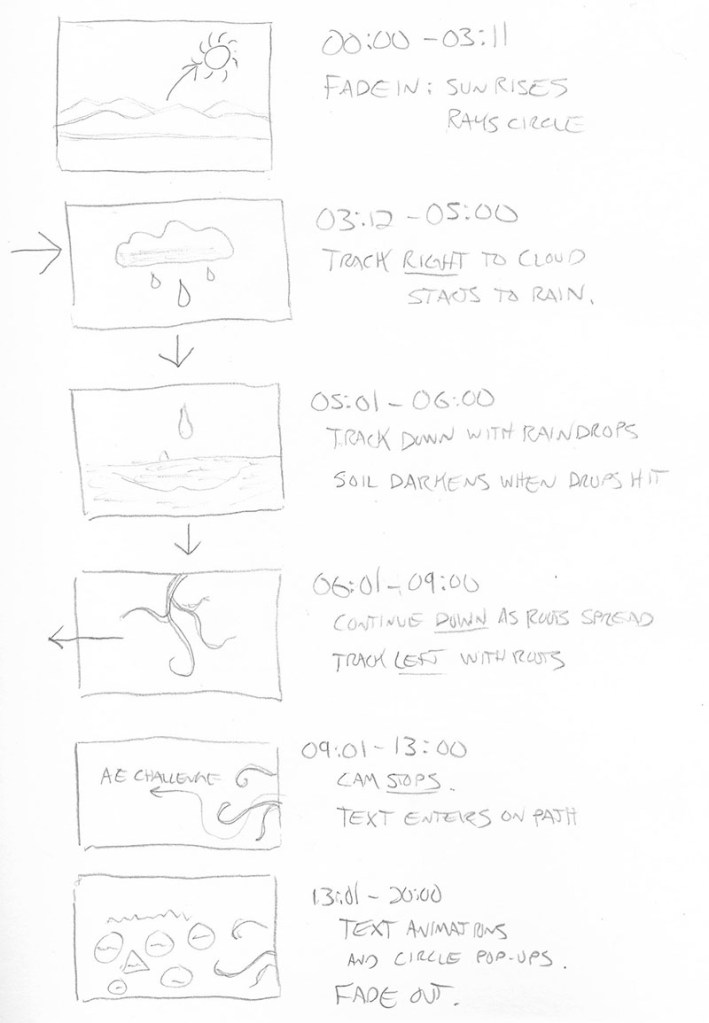
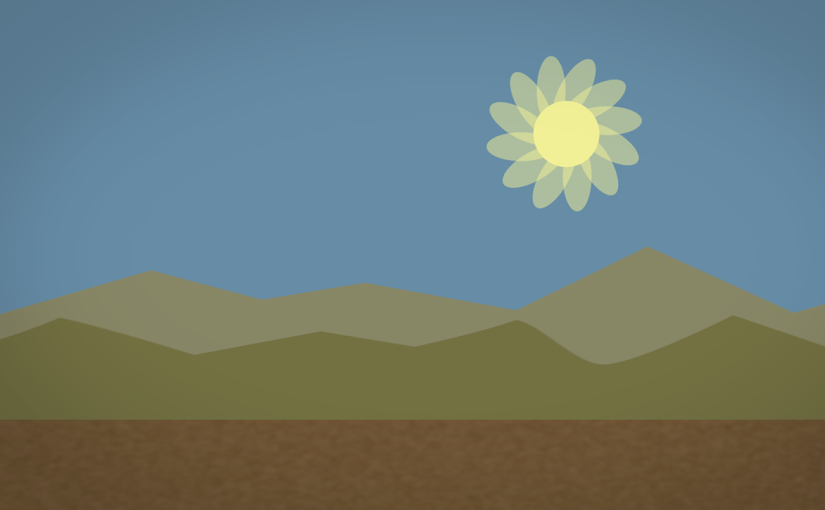
Step 3 – Animation timing: I created a 1920 x 1080 Composition and drew several Shape Layers to represent the ground, mountains, sun, cloud, and raindrops. I added a Camera to the composition and made the shape layers 3D. I parented the camera to a Null Object and Keyframed the null object’s position to move it through the scene.
Step 4 – Details and refinement: After roughly timing the layer animations and camera movements to sync with the music, I added details like Textures, a Repeater animation on the sun rays, Write-on Effects for the roots and darkening the wet dirt with a feathered animated Mask set to the Multiply Blending Mode. The roots and text animations were Precomposed, and I used the Graph Editor to fine-tune animation keyframes.
Step 5 – Rendering: Finally, I turned on Motion Blur for all layers and Rendered the final composition using Adobe Media Encoder rather than the After Effects render queue.
Innovative Thinking
This design challenge pushed my Adobe After Effects skills in new directions. The project demonstrated my ability to create complex motion graphics using the tools within After Effects and the concepts of animation and storytelling. Tutorials from Adobe and LinkedIn Learning helped me apply previously unknown features and effects to the project.
The final composition moves the audience through the scene along with the music. If I had more time for the project, there are many details I would adjust. But overall, it shows that I can create complex motion graphics in a short time.
Acquiring Competencies
The most important skill I learned was using the Graph Editor to adjust motion keyframes for more realistic, organic animations. Instead of just applying Easy Ease to keyframes, I used the Graph Editor on the majority of keyframes in the design challenge timeline. This tool will help all my future motion designs feel more natural and realistic.
I also gained experience using other apps and features of Adobe Creative Cloud including Color for palette creation, Photoshop and Illustrator for asset creation, Audition for editing audio, Bridge for previewing animation presets, and Media Encoder for rendering.
 Joshua Siegel's Mastery Journal
One thought on “After Effects design challenge animation”