
Organizational Structures Mastery Journal

Reflection

The Organizational Structures course provided deep knowledge about the structures of motion, storytelling, and design employment. New skills were developed for both academic and occupational applications. This paper examines each assignment and the resources used to complete the assignment.

Week one began with research into the structure of motion. Krasner (2013) provided a brief history of motion graphics, examples of motion graphics in public spaces, and the basic concepts of motion literacy including the principles of animation. The first assignment for the week’s mastery journal was to create an infographic based on what we learned from the readings. Tutorial videos by Harmer (2019) demonstrated how to create vector infographics with Adobe Illustrator.
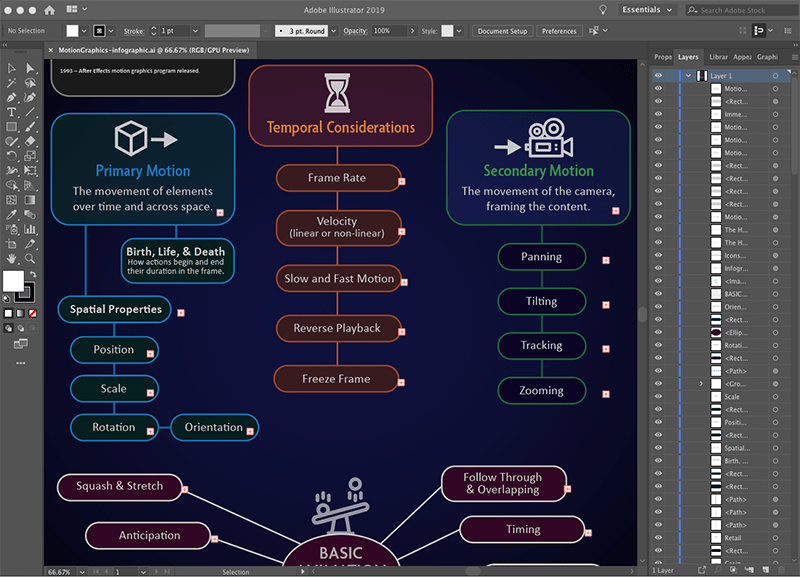
Screenshot of creating an infographic in Adobe Illustrator.

Also in week one, we were assigned groups for a video discussion. Although this discussion would not take place until later in the month, our group connected by email to discuss availability for an online meeting. The purpose of this meeting was to meet our peers and share what we learned in the class.

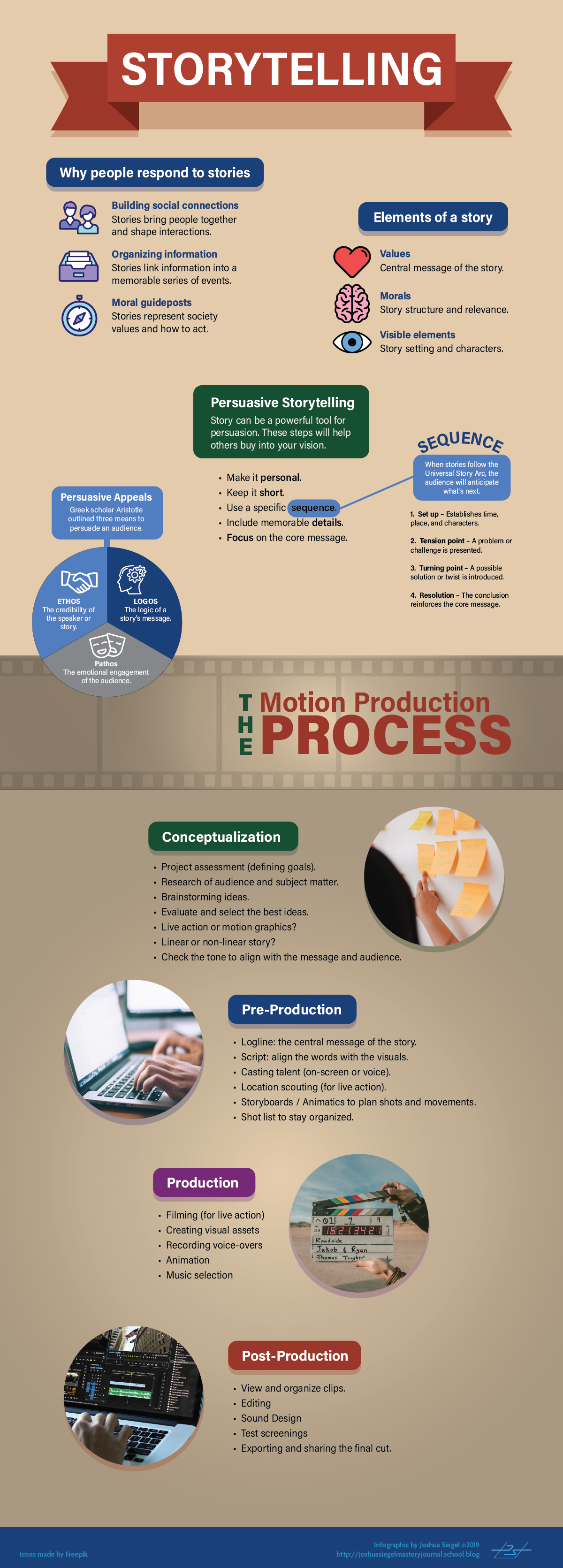
In week two we researched the structure of storytelling in design. Krasner (2013) described conceptualization in motion design. Huber (2017) supported Krasner’s ideas for creative inspiration and using previsualization techniques like concept sketches and storyboards to develop story ideas. She also provided insight on storytelling with video, from preproduction to post-production. The assignment for this week’s mastery journal was to create another infographic based on what we learned from the readings.
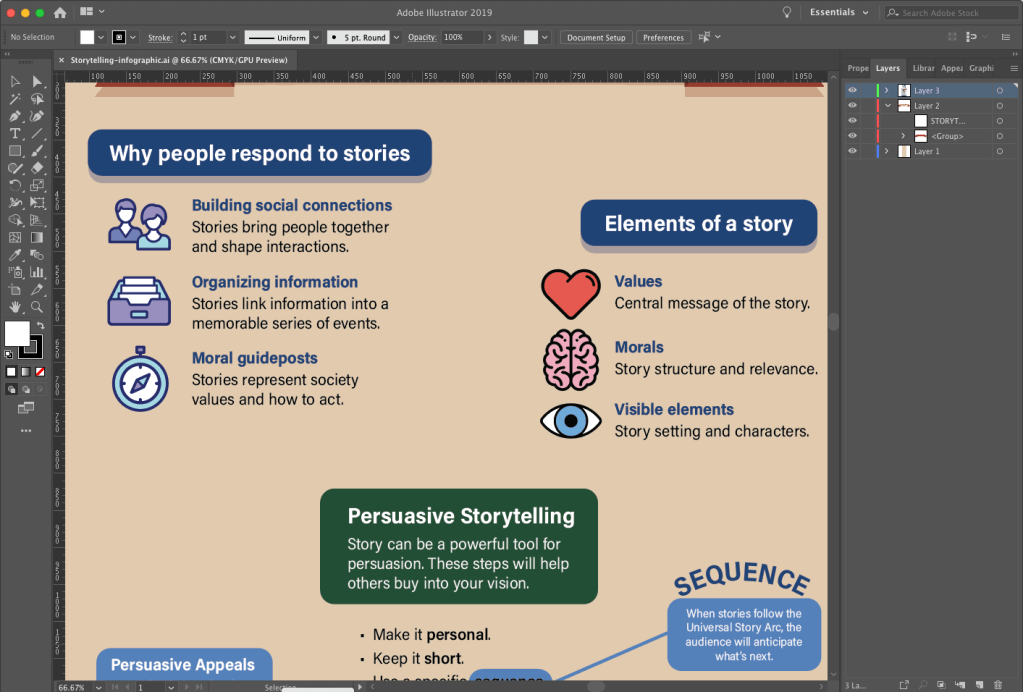
Screenshot of creating an infographic in Adobe Illustrator.

Week two also contained an After Effects Design Challenge to demonstrate our motion graphics skills. Video tutorials from Robinson (2019) imparted new knowledge and skills within Adobe After Effects like using the Graph Editor to make keyframed movements smoother and more natural.
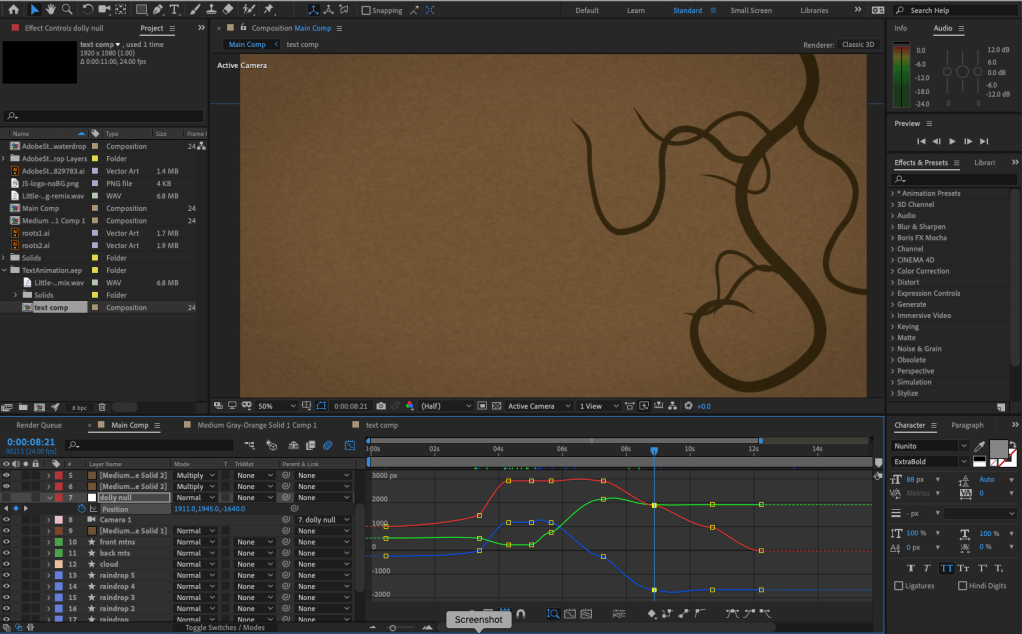
Screenshot of creating a motion design in Adobe After Effects

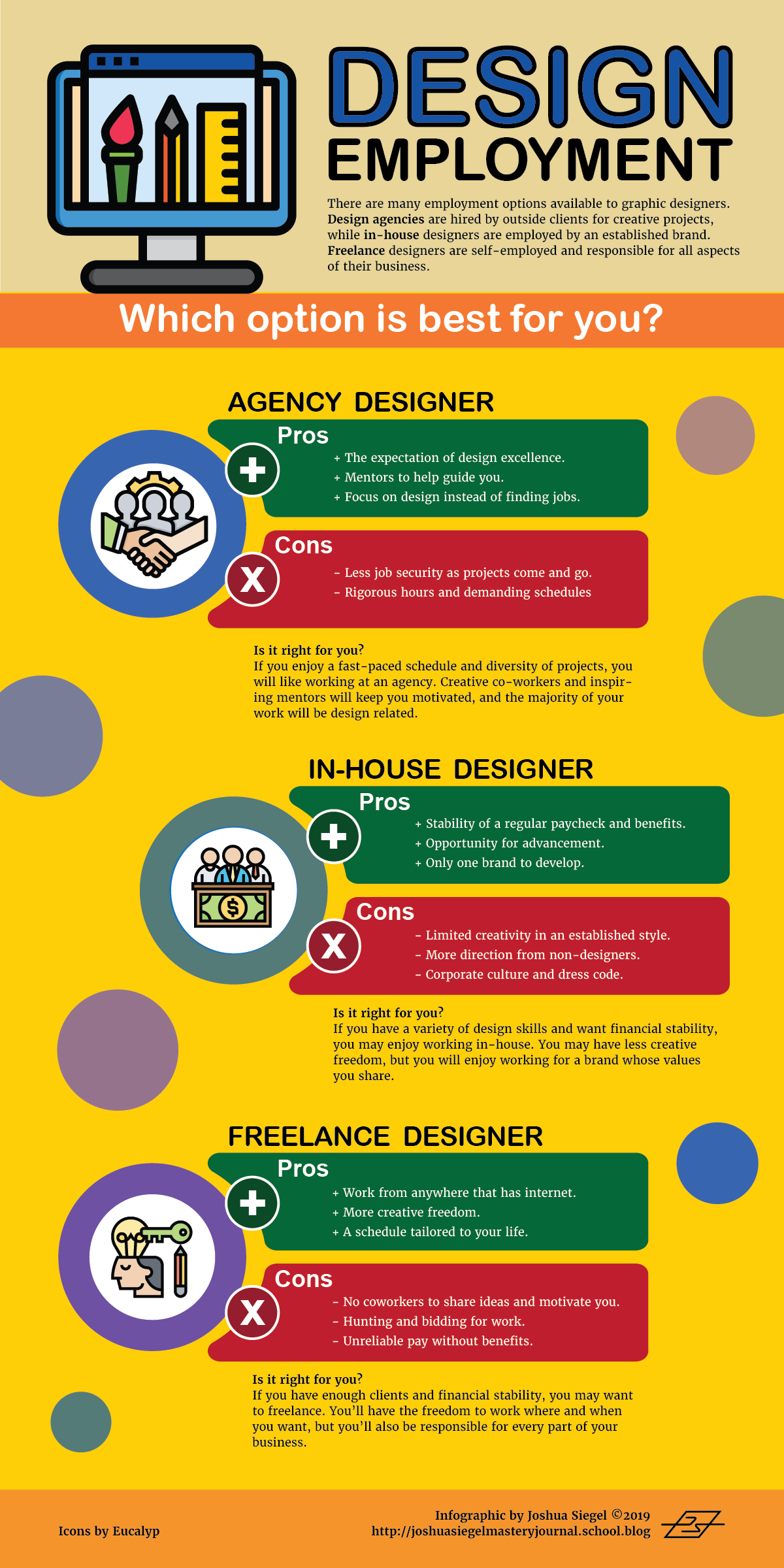
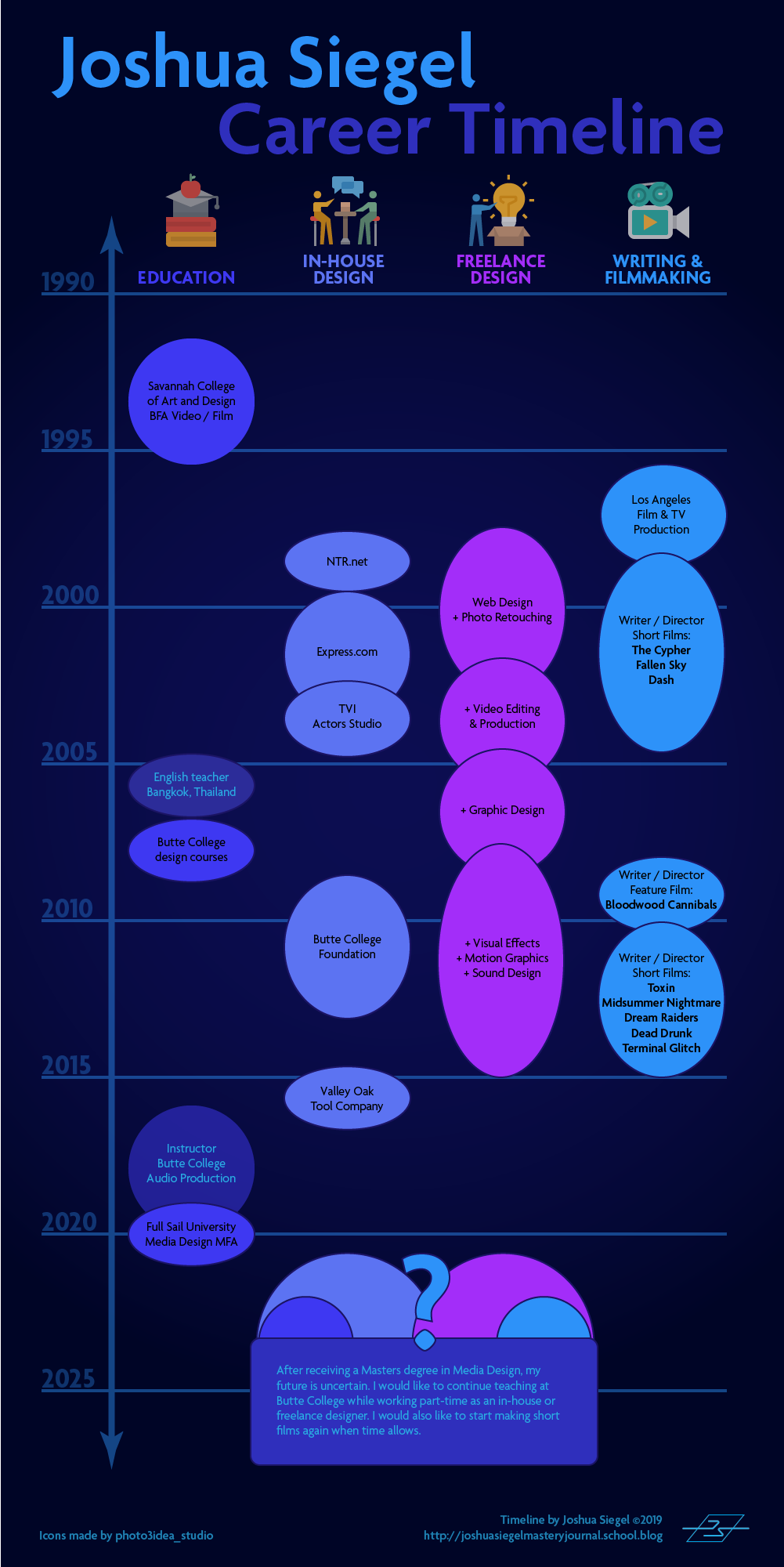
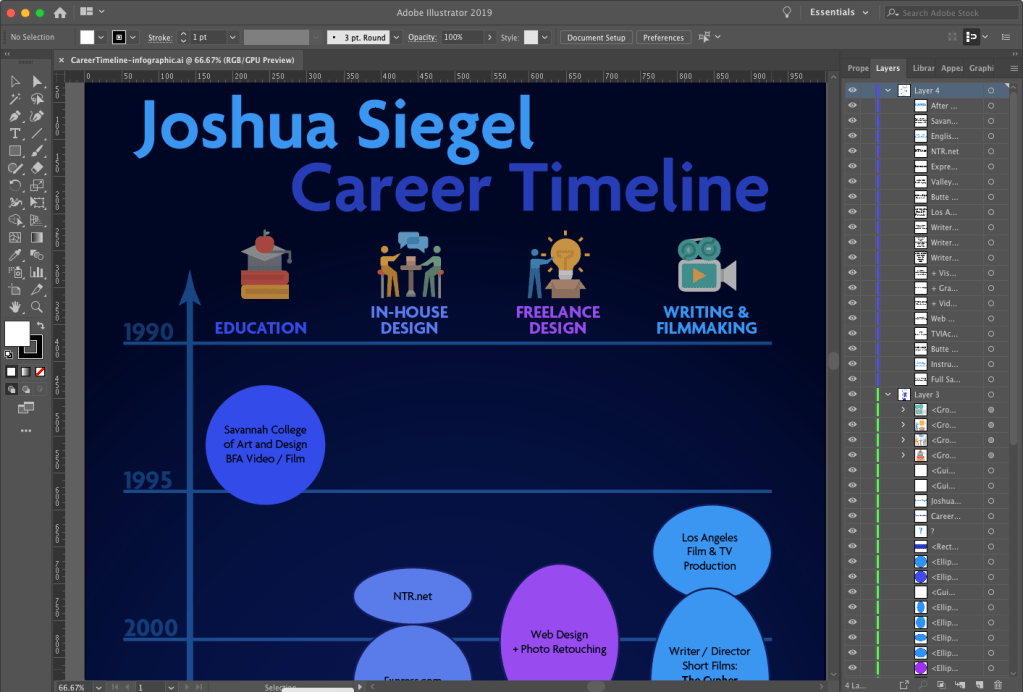
In week three we researched the structure of design employment. Articles by Flavin (2017), Castillo (n.d.), and others described the pros and cons of working in-house, with a design agency, and freelance. This information was used to create another infographic for the mastery journal. In addition to this infographic outlining what we learned about design employment, we created a visual timeline of our employment in the different employment sectors.
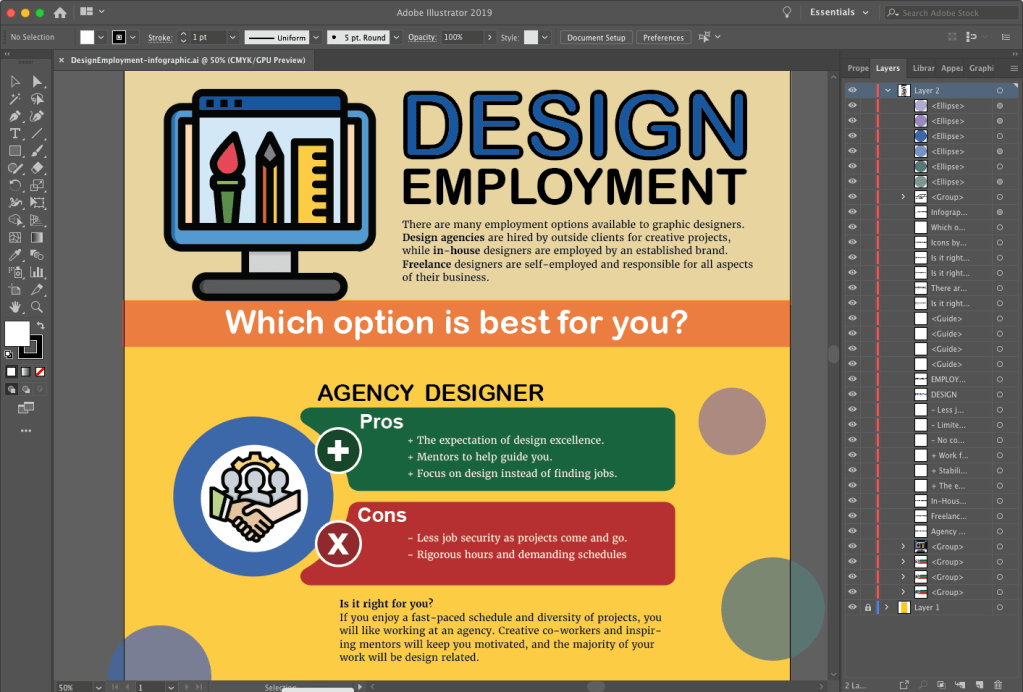
Screenshot of creating an infographic in Adobe Illustrator.
Screenshot of creating a timeline infographic in Adobe Illustrator.

Also in week three, we completed a Premiere Pro design challenge. The “Going Home” video used by Jago (2017) as an example in the Adobe tutorials was a good demonstration of Premiere’s tools. I edited a forty second video using the music, voiceover, and footage provided in the tutorial sample files.
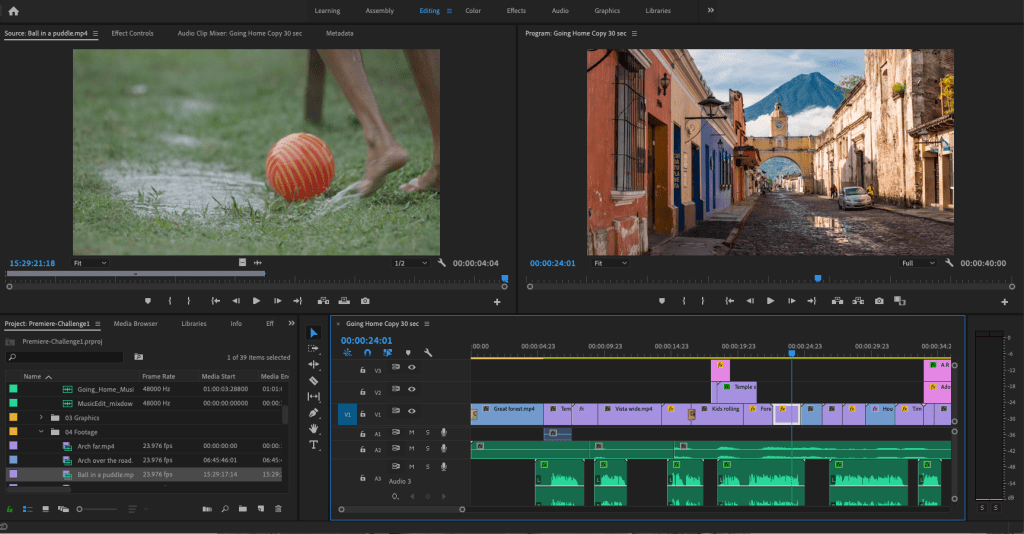
Screenshot of editing video in Adobe Premiere Pro.

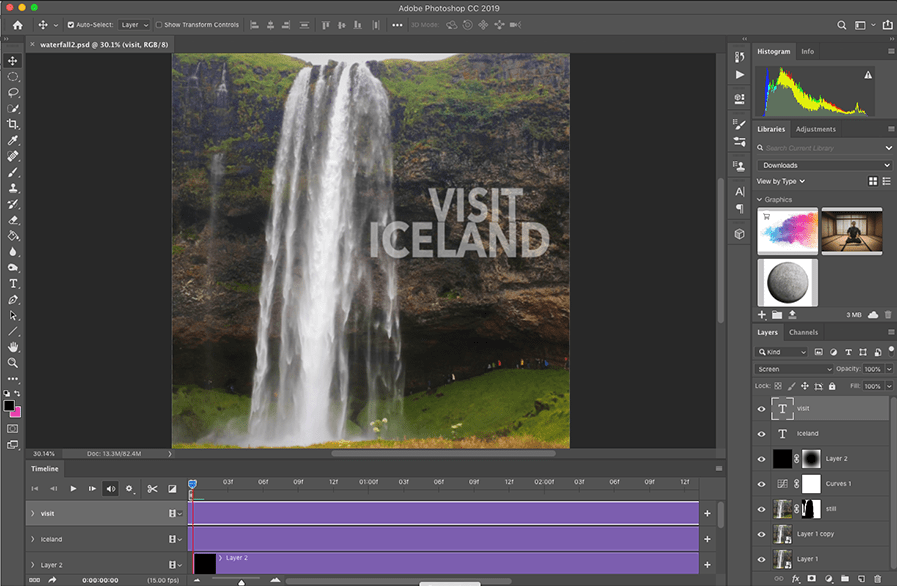
For week four’s design challenge, students were given the choice of creating a Kinetic Typography animation, three Cinemagraphs, moving Parallax Images, or a Motion Poster. I created the cinemagraphs in Photoshop, following tutorials from Duggan (2016).
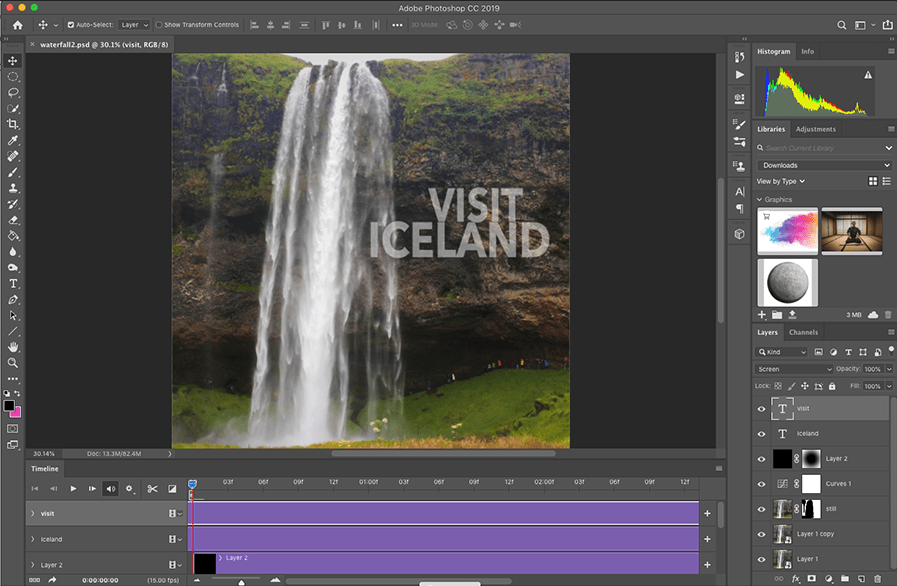
Screenshot of creating a cinemagraph in Adobe Photoshop.

Week four imparted the academic knowledge and practice of creating an annotated bibliography. We learned that the annotated bibliography is not a summary. Instead, it is an analysis of the central theme and scope of the article or book. The six sources of motion and storyboarding information researched for this assignment are useful resources for future courses.

The video discussion arranged in the first week took place on Thursday, December 19. Our group discussed the assignments and learning materials, as well as sharing examples of motion design storytelling in real-world applications like motion posters for films. The meeting effectively wrapped up our experience in Organizational Structures by sharing with our peers.
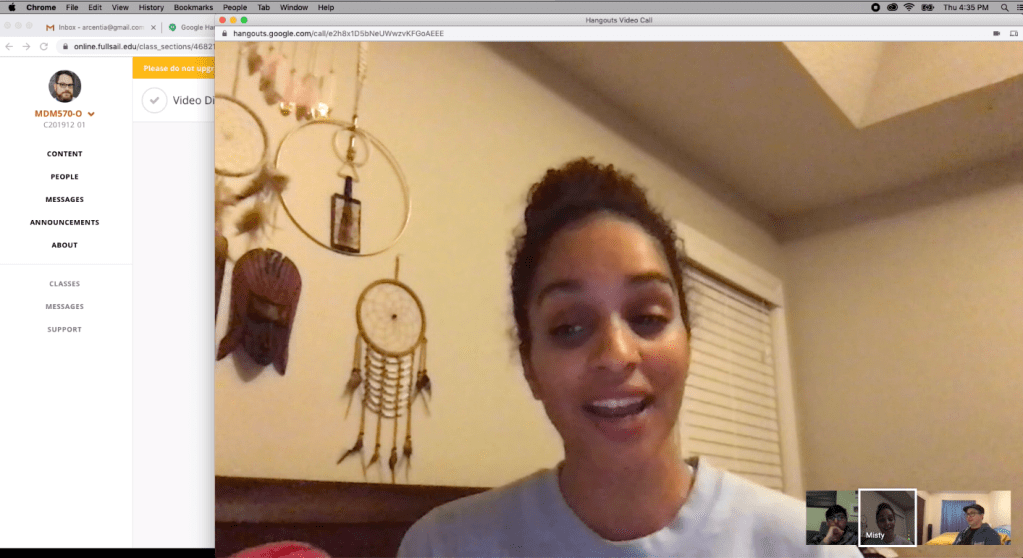
Video discussion screenshot.

Connecting/Synthesizing/Transforming

This month’s research and assignments imparted a great deal of information, both conceptual and technical. Krasner (2013) provided a wide perspective on the history, concept, and techniques of motion design. He emphasized that storyboards are a valuable tool for conceptualization and ideation, in addition to outlining a story in the preproduction stage. Huber (2017) supported the importance of developing stories with previsualization tools like concept sketches and storyboards.

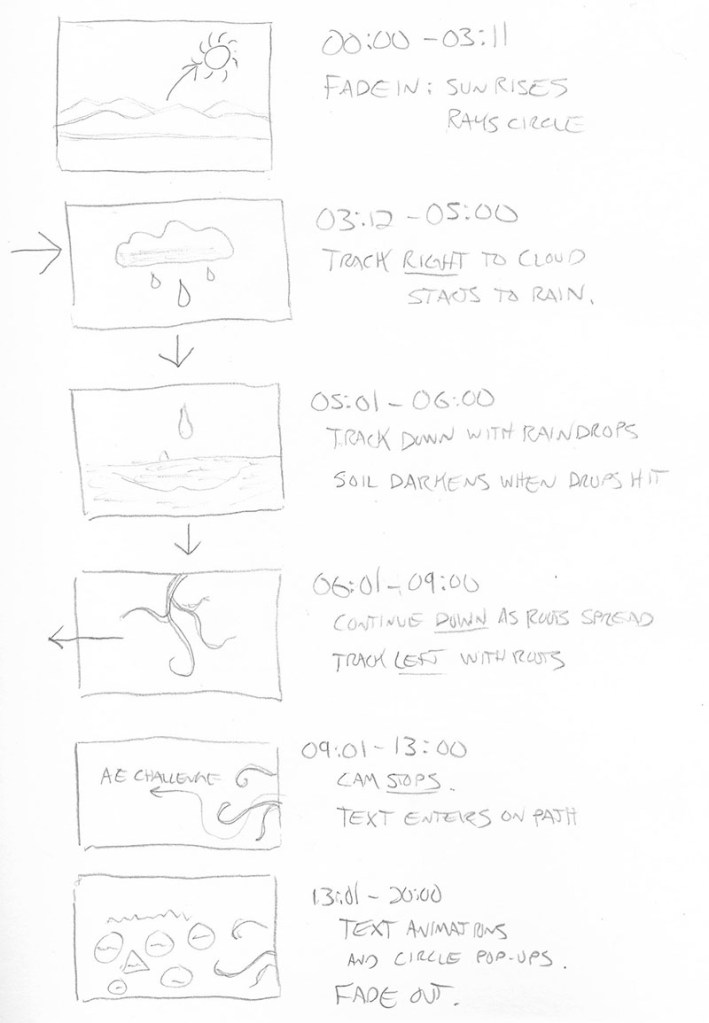
For the After Effects design challenge, I used storyboards to plan, plot, and time my motion graphic.
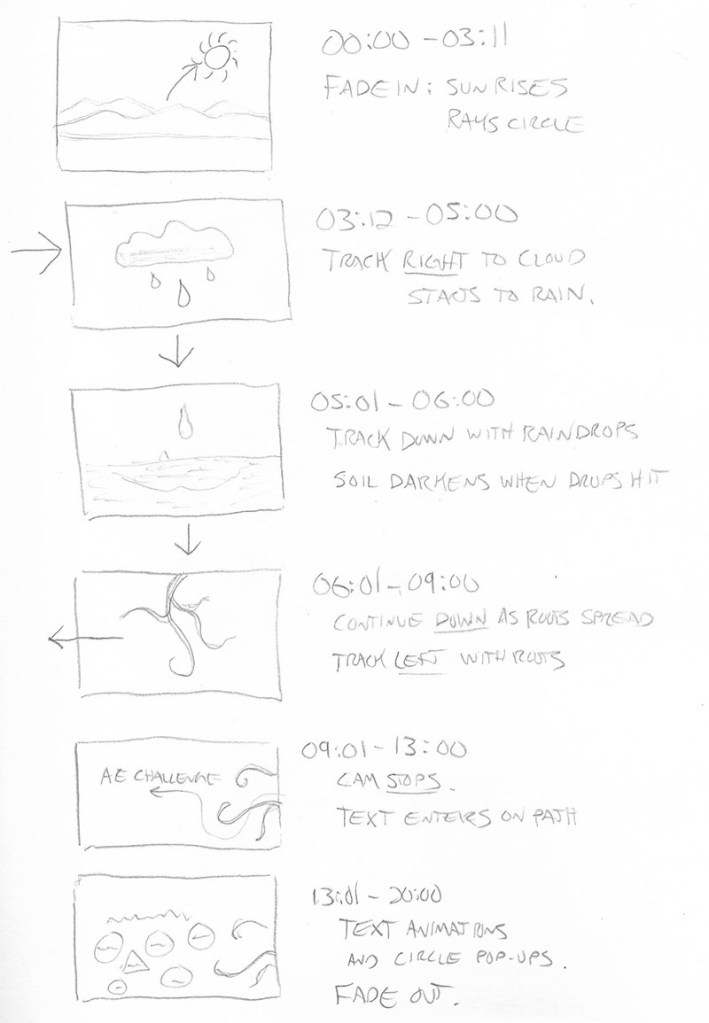
I transformed this knowledge into a 20-second animation that follows the movements of nature (a rising sun, falling rain, and growing roots) to illustrate the Principles of Animation created by Disney animators and explained by Krasner (2013). While creating the motion graphic, I consulted LinkedIn Learning tutorials by Robinson (2019) for technical ways to make animations follow the principles more closely. This research revealed how to use easy ease key-framing and the graph editor to make movements smoother and more organic.

Problem Solving

One design problem I resolved this month was the pacing of the Premiere Pro design challenge video. The “Going Home” promo video edited by Jago (2017) as an example in the Adobe tutorials was a good demonstration of Premiere’s tools, but the pace of the 60-second edit felt very slow and plodding compared to the upbeat music and imagery. I first created a 30-second edit that was too fast-paced, so I tried another 40-second cut. This edit contained all the information of the example video, but with a pace and run-time more appropriate for the short attention spans of social media.

Innovative Thinking

This month I created my first infographics and cinemagraphs. Although I am proud of my first efforts, they do not yet compare to the work of professional designers. Much more practice and experimentation are needed to get to that level. My video editing and motion design skills are more developed, but still need much improvement.

Creating my first cinemagraphs required going outside my comfort zone to work with video in Photoshop. The first two were relatively straight forward, but the Hawaii postcard cinemagraph was more challenging because there was no easy way to make the video loop. Instead, I used time remapping to make the video bounce back and forth in time. While not very realistic, this “ping-pong” type motion is used in many animated GIFs that are shared on social media.

Acquired Competencies

The following are concepts, skills, or new resources learned in the Organizational Structures course. They are categorized as Academic (pertaining to school work) or Occupational (pertaining to work in the Media Design field), and Technical (pertaining to software or other design skills) or Conceptual (new terminology, procedures, or ideas).

Academic

TechnicalConceptual
A story’s theme is its underlying message.

A story’s tone should align with its audience, its values, and its message.

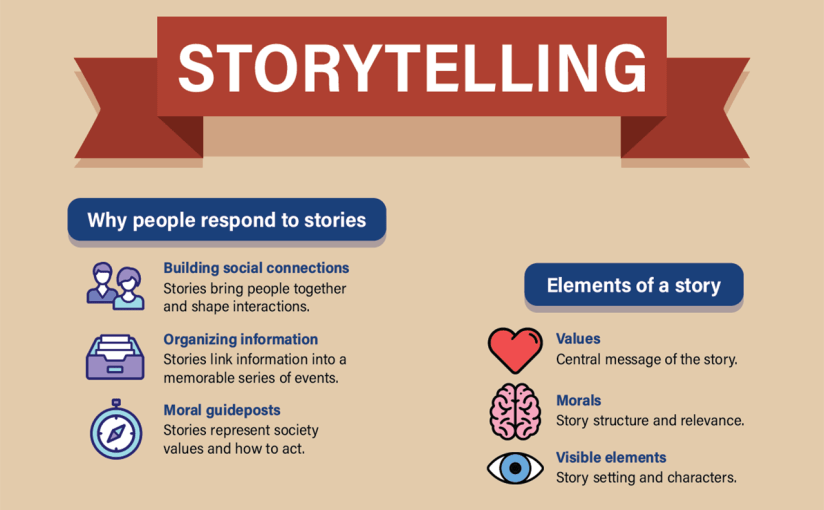
Story Elements: Values: central message of the story. Morals: story structure and relevance. Visible elements: story setting and characters.

Logline: a one sentence summary that conveys the central message of the story.

A creative portfolio is not about showing 20 decent pieces, it’s about showing 5 great pieces.

Motion Graphics in Public Spaces: LED technology makes large public displays more interactive and purpose driven.

Motion Graphics in Film, Television, and Interactive Media: Animation can entertain, inform, and drive audience participation by combining traditional graphic design with the visual language of film.

BENSOUND is an excellent resource to find royalty-free music for motion graphics and video presentations.

AIGA: the professional association for design offers resources for students and professional designers.
Precursors of Animation: Multiple optical devices used the persistence of vision phenomenon to achieve early forms of animation.

Early Cinematic Inventions: Animation evolved with motion pictures in many forms including stop-motion and cell animation.

Experimental Animation and Innovators: Animators create new techniques for motion design and pure artistic expression.

Aristotle’s Three Persuasive Appeals: Ethos – The credibility of the speaker or story. Logos – The logic of a story’s message. Pathos – The emotional engagement of the audience.

Synaesthesia: a merging of senses (ie: hearing colors).

Causal Reasoning: the process of identifying relationships between a cause and a corresponding event.

Designs can be “hacked” by repurposing existing images and ideas.

Communication skills and availability are essential for freelancers.

Mentors can often be found at design agencies.

Occupational

TechnicalConceptual
Principles of Animation: The basic language of how objects move was established by Disney animators and described in the book The Illusion of Life by Frank Thomas and Ollie Johnston (1995).

Materials: real-world textures, materials, and found objects can provide inspiration and add authenticity to design.

Audience Segmentation:  analyzes audience characteristics including demographics, psychographics (i.e., personality), and firmographics (or business setting).

Affective Primer: the process of manipulating the emotions of an audience before the message is delivered. 

Creating Adobe Illustrator Infographics: Adobe Illustrator, Microsoft Excel, and other programs provide many tools for creating data-driven illustrations.

Adobe After Effects Graph Editor adjusts motion keyframes for more realistic, organic animations.

Lumetri Color panel allows for easy color grading within Adobe Premiere.

Essential Sound panel lets you improve sound quality within Adobe Premiere.

Cinemagraphs are still photographs that contains a small moving element.
Universal Sequence or story arc:
Set up – Establishes time, place, and characters.
Tension point – A problem or challenge is presented.
Turning point – A possible solution or twist is introduced.
Resolution – The conclusion reinforces the core message.

Pictorial Continuity: cohesion in content and style of visuals.

Sequential Continuity: logical flow of events between frames.

Primary (Object) Motion: Animation of an element’s spatial properties and how it moves over time and across space.

Secondary (Camera) Motion: Movement of the camera and how it frames the content.

Temporal Considerations: Linear movements mimic mechanical devices, while non-linear movements are more natural. Techniques such as slow motion and reverse playback can alter the sense of time.

In-house designers must be proactive, otherwise they are just following orders.

The primary role of in-house designers is explaining the brand to consumers.

Freelance designers can often pick up jobs from overloaded design agencies.

It’s important to be aware of current design trends and knowledgeable of graphic design from the past.  

References:

Castillo, R. (n.d.). In-house, agency, or freelance—what’s right for me? Retrieved from https://www.aiga.org/aiga/content/inspiration/in-house-agency-or-freelancewhats-right-for-me/

Duggan, S. (2016, April 6). Creating a Cinemagraph in Photoshop. LinkedIn Learning. Retrieved from https://www.lynda.com/Photoshop-tutorials/Create-Cinemagraph-Photoshop/471669-2.html?org=fullsail.edu

Flavin, B. (2017, July 24). Where Do Graphic Designers Work? In-House vs. Agency vs. Freelance. Retrieved from https://www.rasmussen.edu/degrees/design/blog/where-do-graphic-designers-work/

Harmer, T. (2019, July 19). Illustrator Infographics. LinkedIn Learning. Retrieved from https://www.linkedin.com/learning/creating-illustrator-infographics/illustrator-infographics?u=50813145

Huber, A. (2017). Telling the Design Story. Focal Press. Retrieved from https://learning.oreilly.com/library/view/telling-the-design/9781351849210/

Jago, M. (2017, September 20). Create a project and import a clip. Retrieved from https://helpx.adobe.com/premiere-pro/how-to/create-project-import-media.html

Krasner, J. (2013). Motion graphic design. Applied history and aesthetics. 3rd, rev. ed. Oxford: Focal Press. Retrieved from https://learning.oreilly.com/library/view/motion-graphic-design/9780240821139/

Robinson, I. (2019). After Effects: Principles of Motion Graphics. LinkedIn Learning. Retrieved from https://www.linkedin.com/learning/after-effects-principles-of-motion-graphics-2/custom-speed-changes?u=50813145

Thomas, F., & Johnston, O. (1995). The illusion of life: Disney animation. New York: Hyperion.
Organizational Structures – Week 4 Live Session Response

Augmented Reality

Meron Gribetz’s demonstration of the Meta 2 headset show some of the possible applications for augmented reality (AR). AR puts a layer of information on the real world, allowing users to interact with virtual objects and data. Designers should “imagine how we can create this new reality in a way that extends the human experience, instead of gamifying our reality or cluttering it with digital information” (Gribetz, 2016).

Gribetz introduces three key concepts for making AR a tool that extends our bodies:

  1. Neural Path of Least Resistance: You are the operating system, using spatial memory instead of traditional file systems.
  2. Touch to See: Proprioception, the sense of our body parts in space, lets us understand our work more directly by touching it.
  3. The Holographic Campfire: You can interact socially if people can see and work on the same virtual objects.

Composing Movement

Akira Kurosawa was a master filmmaker whose work has inspired many directors and cinematographers. The Youtube video from Every Frame a Painting demonstrates how Kurosawa captured movement on-screen to tell stories that are visually stimulating.

  1. The movement of Nature: Often in the background, the movements of water and other natural elements add emotion to a scene.
  2. The movement of Crowds: Reaction shots of numerous people sharing an emotion amplifies that emotion.
  3. The movement of Individuals: Every character has a distinct way of moving.
  4. The movement of Camera: Every move has a beginning, middle, and end that moves the audience through the scene.
  5. The movement of the Cut: Editing can give a rhythm of movement to a scene.

Knowing When to Cut

Film and video editing is largely instinctual, but the Youtube video from Every Frame a Painting provides advice on how to judge a shot and knowing when to cut to the next shot. Actors’ eyes tell you the emotion of the scene. Good actors can do this nonverbally. Think about how much time do I give this emotion? The audience needs time to feel and share the emotion. There is a rhythm to traditional Hollywood editing. It should happen so naturally that you don’t even notice it. Cutting against a rhythm can be disturbing, which can help add drama or emotion.

References:

Every Frame a Painting. (2015, March 19). Akira Kurosawa – Composing Movement [Video file]. Retrieved from https://www.youtube.com/watch?v=doaQC-S8de8

Every Frame a Painting. (2016, May 12). How Does an Editor Think and Feel? [Video file]. Retrieved from https://www.youtube.com/watch?v=3Q3eITC01Fg

Gribetz, M. (2016). A glimpse of the future through an augmented reality headset. TED2016. Retrieved from https://www.ted.com/talks/meron_gribetz_a_glimpse_of_the_future_through_an_augmented_reality_headset

Cinemagraph Design Challenge

For this week’s design challenge, we were given the choice of creating a Kinetic Typography animation, three Cinemagraphs, moving Parallax Images, or a Motion Poster. I chose to create the Cinemagraphs because I had never created this type of design before.

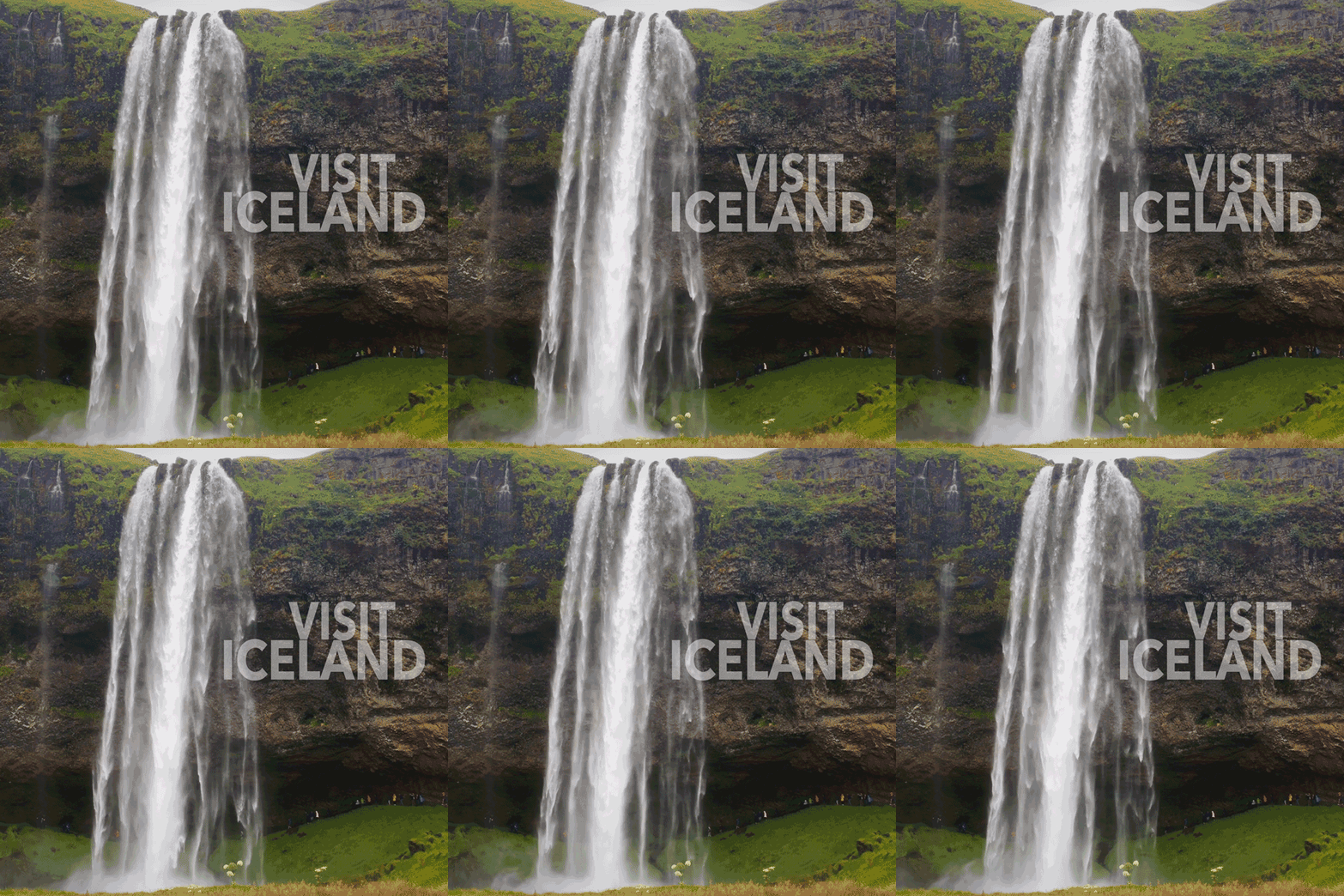
Iceland cinemagraph

Connecting, Synthesizing, Transforming

First created in 2011 by digital artist Kevin Burg and photographer Jamie Beck, cinemagraphs are still photographs that contains a small moving element. Animated GIFs have become a popular image format on social media, and cinemagraphs are considered “animated GIF for adults” (Mevorah, 2017).

Normally, I do the majority of motion designs in Adobe After Effects, but I wanted to try using Photoshop’s video tools for this project. Duggan (2016) describes how to create a cinemagraph in Photoshop using layer masks and looping videos. His tutorials on LinkedIn Learning helped me create three cinemagraphs and export the animated GIFs. Popa (2018) provided additional information on how to optimize the file size of animated GIFs to reduce the load time.

Night Life cinemagraph

Solving Problems

I started by downloading royalty free stock videos from Videezy. For each cinemagraph, I imported the video file into Photoshop and changed the aspect ratio (frame size) to a square. Next, I looped the video by splitting it and adding a cross dissolve to hide the edit. I chose the best still frame and freeze framed it on a layer above the video. After selecting the part of the image that would show motion, I created a mask on the still layer to reveal the video below it.

To make each cinemagraph feel like a piece of content marketing, I added text with the opacity set to screen mode so it was semi-transparent. The final step was exporting full-sized MP4 videos and web-optimized animated GIFs. I was able to do all of this within Photoshop, making the workflow more efficient than using multiple applications.

Hawaii cinemagraph

Innovative Thinking

The Hawaii cinemagraph was the most challenging because there was no place to smoothly loop the video. Instead, I used time remapping to make the video bounce back and forth in time. While not very realistic, this “ping-pong” type motion is used in many animated GIFs that are shared on social media.

Acquiring Competencies

Although I was somewhat aware of Photoshop’s video features, I was more accustomed to working in After Effects. This design challenge taught me the benefits of working with video in Photoshop, especially for content marketing projects. I had seen many cinemagraphs online, but I did not know that the medium had a name, who had created it, or how it could be used in both advertising and fine art.

Photoshop screenshot

Reflection

I’m glad I decided to create the cinemagraphs, because it was a very new experience. I will definitely create more in the future, as content marketing for clients and as personal creative exercises. I would like to try animating elements of classical paintings that are in the public domain. Many of the same techniques can be used for creating motion posters. Although I didn’t create a poster for this challenge, I plan to do so for any future film projects.


References:

Duggan, S. (2016, April 6). Creating a Cinemagraph in Photoshop. Retrieved from https://www.lynda.com/Photoshop-tutorials/Create-Cinemagraph-Photoshop/471669-2.html?org=fullsail.edu

Mevorah, V. (2017, May 21). What is a Cinemagraph? Retrieved from https://www.widewalls.ch/cinemagraph/

Popa, G. (2018, July 19). 6 Incredibly Simple Tricks to Reduce the Size of your Animated GIFs. Retrieved from https://blog.bannersnack.com/reduce-the-size-animated-gifs/

Organizational Structures – Week 3 Live Session Response

Human Centered Design.

IDEO’s David Kelley talks about including behaviors and personalities in taking a more human-centered approach to design. Kelly notes that the hardware has become less important than the user experience when designing products. As a result, “Designers are more trusted and more integrated into the business strategy of companies” (Kelly, 2002). Master Designers should have a broad knowledge of many fields, including psychology. By including human behavior and target audience personalities in our design process, we create more effective solutions.

The Long Goal of Design

Too often, designers are focused on the short goals of a project: establishing a style, creating graphic elements, etc. Michael Bierut’s talk at TEDNYC reminded me of the importance of the long goal. How will this design change someone’s life?

“I was just focused on a foot ahead of me, as far as I could reach with my own hands. Instead, way off in the distance was a librarian who was going to find… a source of inspiration so that she in this case could do her work really well…” (Bierut, 2017).

The long goal may be a mystery at the start of the process, but Bierut’s story of how the murals of children inspired the librarian is a good reminder of why design is all about building human connections.

Week 4 Assignments

The Mastery Reflection assignment opened early to help us get started. Dr. Baldowski recommends that we focus on academic writing and answering all the questions in detail. The reflection demonstrates our understanding of material and concepts presented this month. Categorizing the overview helps us organize the information and reflect on what we learned.

The Annotated Bibliography helps us find new sources of information and evaluate those sources. The 150-word analysis of each source is not a summary. Instead, it is a description of the central theme and scope of the article or book. The Cornell University Library (n.d.) recommends that authors “Include one or more sentences that:

  1. evaluate the authority or background of the author
  2. comment on the intended audience
  3. compare or contrast this work with another you have cited, or
  4. explain how this work illuminates your bibliography topic.”

We will refer to the annotated bibliography in future classes, so I look forward to taking on this project.

References:

Bierut, M. (2017). TEDNYC How to design a library that makes kids want to read. Retrieved from https://www.ted.com/talks/michael_bierut_how_to_design_a_library_that_makes_kids_want_to_read

How to Prepare an Annotated Bibliography: The Annotated Bibliography. (n.d.) Cornell University Library. Retrieved from https://guides.library.cornell.edu/annotatedbibliography

Kelley, D. (2002) TED2002 Human-centered design. Retrieved from https://www.ted.com/talks/david_kelley_human_centered_design

Adobe Premiere editing challenge

This video editing project was completed for the Organizational Structures course in the Media Design MFA program from Full Sail University. Edited from footage provided by Adobe.com.

Connecting, Synthesizing, Transforming

I’ve been editing with Adobe Premiere since 2008, but there’s always something new to learn. Every update has new features. The November 2019 release (version 14.0) includes graphics and audio enhancements, plus the new Auto Frame tool that applies intelligent framing to footage, keeping the action inside different aspect ratios like square or vertical video. Although I didn’t use the Auto Frame tool in this project, I can see how it could be useful when converting aspect ratios for posting videos to social media.

Solving Problems

The “Going Home” video used by Maxim Jago as an example in the Adobe tutorials was a good demonstration of Premiere’s tools, but the pacing of the edit felt slow. I decided to cut a shorter version using the same music, voiceover, and footage.

On this project, I started by editing the audio. The first step was to remix the music to be a shorter duration. The music Remix tool in Adobe Audition’s Essential Sound panel works like magic, retiming music to your desired duration with the need to manually cut and apply crossfades to clips. Unfortunately, this tool is not currently available in Premiere’s Essential Sound panel. After retiming the music to 40 seconds, I imported it to Premiere and dropped it in the timeline. Next, I dropped in the voiceover and cut it with the Razor tool into separate clips. I moved these clips around until the pacing felt right.

After editing the audio, I started adding video clips. When editing to music or voiceover, I tend to set both in and out points on the timeline to match beats. In the source panel, I will set only an in or out point, then use the Overwrite edit shortcut to drop the clip in place. Following the tutorials, I added transitions and type. One interesting thing I learned was that Premiere is very good at Time Remapping, changing playback speed. I have always used After Effects for speed changes, but Premiere can now time remap up to 20,000 percent. Wow.

Innovative Thinking

This design challenge demonstrated my ability to edit with Adobe Premiere, but unfortunately, I don’t think I did anything particularly innovative in the project. If I had more time this week, I would have liked to learn about Character Animation or more about the visual effects tools built into Premiere.

Acquiring Competencies

For many years I’ve used Audition for audio and After Effects for the majority of my motion designs and visual effects work, but many of the tools are now integrated into Premiere. Using the Essential Sound panel for audio improvements and Lumetri Color panel for color grading will speed up my workflow on future editing projects.

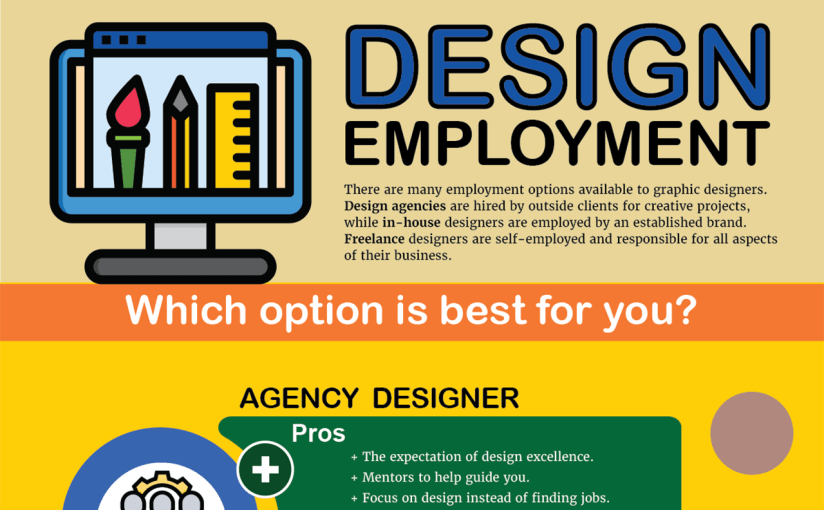
Design Employment infographic

There are many employment options available to graphic designers. Design agencies are hired by outside clients for creative projects, while in-house designers are employed by an established organization or brand. Freelance graphic designers are self-employed and responsible for all aspects of their business.

Which option is best for you? This infographic can help you decide.

Overview

Information in the Design Employment infographic was gleaned from learning materials presented in week three of the Organizational Structures course. This week we learned about the different employment options for designers, from freelance to in-house and agency work. Flavin (2017) discussed the benefits and drawbacks of each option, noting that it’s important for a designer to “find the perfect work environment to cultivate your creativity”.

In-house designers know a brand intimately by working with it day after day and enjoy a steady paycheck. However, this can lead to monotony and creative stagnation. Most of my experience is with in-house design, often as a one-man team responsible for everything from copy writing to web design. Depending on the employer and how closely you align with their values, working in-house can be a joy or a nightmare. Björk (2010) notes many ins (upsides) and outs (downsides) of working in-house. The most important to me is the stability of a regular paycheck, especially now that I have a wife and child.

Working at a design agency is a great way to learn and gain experience with other design professionals. The fast-paced and demanding schedule drives creativity, but there is less job security as clients come and go. Working with other creative thinkers is one of my favorite aspects of film production, and I would love to work at an established design agency.

Freelance designers enjoy the freedom to work when and where they please but have added responsibility of managing a business, from bookkeeping to office supplies. It’s important to have enough clients and financial stability before trying to go freelance. There are many downsides to freelancing: constantly looking for work, no co-workers for critiques, and unreliable pay just to name a few. Offering freelance services to a design agency can be an ideal situation. Rassom (2011) lists five things an agency looks for when hiring freelancers:

  1. Creativity that goes beyond technical skills.
  2. Experience that shows you’re reliable.
  3. Time to finish a project on schedule.
  4. Rates that reflect what you’re worth.
  5. Communication skills and availability.

Since graduating from the Savannah College of Art and Design, I’ve worked in a wide variety of design and entertainment jobs. The timeline below demonstrates just how long a journey it has been.

Acquired Competencies

The following are concepts, skills, or new resources learned in the third week of the Organizational Structures course. They are categorized as Academic (pertaining to school work) or Occupational (pertaining to work in the Media Design field), and Technical (pertaining to software or other design skills) or Conceptual (new terminology, procedures, or ideas).

Academic

TechnicalConceptual
A creative portfolio is not about showing 20 decent pieces, it’s about showing 5 great pieces.

BENSOUND is an excellent resource to find royalty-free music for motion graphics and video presentations.

AIGA: the professional association for design offers resources for students and professional designers.
Designs can be “hacked” by repurposing existing images and ideas.

Communication skills and availability are essential for freelancers.

Mentors can often be found at design agencies.

Occupational

TechnicalConceptual
It’s important to be aware of current design trends and knowledgeable of graphic design from the past.

Lumetri Color panel allows for easy color grading within Adobe Premiere.

Essential Sound panel lets you improve sound quality within Adobe Premiere.  
In-house designers must be proactive, otherwise they are just following orders.

The primary role of in-house designers is explaining the brand to consumers.

Freelance designers can often pick up jobs from overloaded design agencies.    

References:

Björk, J. (2010, March 12). The Ins and Outs of Working In-house. AIGA. Retrieved from https://www.aiga.org/ins-and-outs-of-working-inhouse

Flavin, B. (2017, July 24)/ Where Do Graphic Designers Work? In-House vs. Agency vs. Freelance. Retrieved from https://www.rasmussen.edu/degrees/design/blog/where-do-graphic-designers-work/

Rassom, B. (2011, July 18). 5 Things a Design Agency Looks for when Hiring Freelancers. Retrieved from https://millo.co/design-agency-looking-to-hire-freelance-designer

Storytelling Infographic

Outcomes and Knowledge

In the second week of the Organizational Structures course, we researched the Structure of Storytelling in Design. The title of this course finally made sense to me through the readings about developing effective stories that are structured in a specific, mindful way. Like the research and copywriting skills learned in previous courses, storytelling is an important tool for a master designer. Huber (2017) remarks “Being able to understand your client, garner their attention, and leave them with a message that is clear, purposeful, and inspiring has never been more critical.” Strong knowledge of storytelling concepts and processes will help me develop more effective design solutions.

The first project this week was an After Effects Challenge to review our motion design technical skills. After watching tutorials from Adobe and LinkedIn Learning, I created a short animation that demonstrated the basic concepts and features of After Effects CC. This project took more time that it should have, but I picked up several new skills and learned more about motion design. Robinson (2019) describes how the After Effects graph editor allows designers to “take true ownership” of animation by customizing the speed between keyframes. This creates more natural, organic movements than linear keyframes.

The second project was an Infographic outlining what I learned this week (see above). Infographics are another Organizational Structure for communicating with an audience. This project helped me sort through many pages of notes, organize what I learned, and translate it into a visual design. Even though I have produced videos for over twenty years, this week’s lessons provided new insights into the conceptualization stage of production. Krasner (2013) notes “Regardless of tools and delivery format, concept development is critical to all forms of graphic communication.” Ideas must be formulated, evaluated, and refined at a very early stage. This reinforces what we learned in last month’s Design Research course.

Acquired Competencies

The following are concepts or skills learned in the second week of the Organizational Structures course. They are categorized as Academic (pertaining to school work) or Occupational (pertaining to work in the Media Design field), and Technical (pertaining to software or other design skills) or Conceptual (new terminology, procedures, or ideas).

Academic

TechnicalConceptual
A story’s theme is its underlying message.

A story’s tone should align with its audience, its values, and its message.

Story Elements:
Values: central message of the story.
Morals: story structure and relevance.
Visible elements: story setting and characters.

Logline: a one sentence summary that conveys the central message of the story.
Aristotle’s Three Persuasive Appeals:
Ethos – The credibility of the speaker or story.
Logos – The logic of a story’s message.
Pathos – The emotional engagement of the audience.

Synaesthesia: a merging of senses
(ie: hearing colors).

Causal Reasoning: the process of identifying relationships between a cause and a corresponding event.  

Occupational

TechnicalConceptual
Materials: real-world textures, materials, and found objects can provide inspiration and add authenticity to design.

Audience Segmentation:  analyzes audience characteristics including demographics, psychographics (i.e., personality), and firmographics (or business setting).

Affective Primer: the process of manipulating the emotions of an audience before the message is delivered.    
Universal Sequence or story arc:
Set up – Establishes time, place, and characters.
Tension point – A problem or challenge is presented.
Turning point – A possible solution or twist is introduced.
Resolution – The conclusion reinforces the core message.

Pictorial Continuity: cohesion in content and style of visuals.

 Sequential Continuity: logical flow of events between frames.  

References:

Huber, A. (2017). Telling The Design Story. Focal Press. Retrieved from https://learning.oreilly.com/library/view/telling-the-design/9781351849210/

Krasner, J. (2013). Motion graphic design. Applied history and aesthetics. 3rd, rev. ed. Oxford: Focal Press. Retrieved from https://learning.oreilly.com/library/view/motion-graphic-design/9780240821139/

Robinson, I. (2019). After Effects: Principles of Motion Graphics. LinkedIn Learning. Retrieved from https://www.linkedin.com/learning/after-effects-principles-of-motion-graphics-2/custom-speed-changes?u=50813145

Organizational Structures – Week 2 Live Session Response

This week we learned more about the Storytelling process and how stories are used in design.

Beard’s design experiment

Critiques from twenty-three designers demonstrated how many approaches there are to design. One consistent theme is that inspiration can be found through explorations of different materials and real life interactions. For example, Jason Munn states that “A lot of stuff I do is trying to combine imagery to make something new,” (Beard, 2013). Munn encourage Beard to play with the interactions between letterforms and soap bubbles. Beard’s experiments demonstrated how natural patterns and geometric shapes provide inspiration for new ways to mix type and objects in design.

Furthermore, Skolos and Wedell (2012) combine found objects, sculpture, photography, and digital media in a process that is more exploration than design. Collage techniques and material experimentation can drive inspiration for Motionographers as well. If I were presented with this design challenge, a motion poster could be very effective. One possible approach is using imagery of soft, white soap bubble washing over a filthy texture to reveal the message.

Static vs. Dynamic media

During the week 2 live session, Dr. Baldowski remarked that motion designers must speak the languages of film, design, and animation. Static media like print ads convey a message with a single image, utilizing research and multiple iterations to find the most effective design solution. Dynamic media uses similar processes but requires additional planning to address the structure and pacing of the narrative over time. Storyboards are “a cohesive succession of frames that establishes a concept’s basic narrative structure” (Krasner, 2013). Animatics (animated storyboards) can also be used to resolve motion and timing issues when static storyboards aren’t enough.

Making images meaningful

According to Wujec (2009), there are three components to making images meaningful. First is to clarify ideas by visualizing them. This activates the ventral stream on the left side of the brain which visually identifies what something is. The second component is making the images interactive to engage the viewer. This activates the dorsal stream in the brain which helps create mental maps. The third component is creating visual persistence. Recognizing familiar objects and detecting patterns activates the limbic system, a very primal part of the brain. By visualizing ideas, making them interactive, and making them persistent a designer can engage three areas of the human brain for more meaningful communication.


References:

Beard, C. (2013). Critiqued: Inside the Minds of 23 Leaders in Design. Peachpit Press. Retrieved from https://learning.oreilly.com/library/view/critiqued-inside-the/9780133260663/

Krasner, J. (2013). Motion graphic design. Applied history and aesthetics. 3rd, rev. ed. Oxford: Focal Press. Retrieved from https://learning.oreilly.com/library/view/motion-graphic-design/9780240821139/

Skolos, N., & Wedell, T. (2012). Graphic design process: from problem to solution: 20 case studies. London: Laurence King Publishing. Retrieved from https://learning.oreilly.com/library/view/graphic-design-process/9781856698269/

Wujec, T. (2009). 3 ways the brain creates meaning. Retrieved from https://www.ted.com/talks/tom_wujec_on_3_ways_the_brain_creates_meaning#t-94

After Effects design challenge animation

Motion design by Joshua Siegel

Connecting, Synthesizing, Transforming

I started using Adobe After Effects in 2009 to create titles and visual effects for my independent films. Websites like Creative Cow and Video Copilot taught me the basics, but there’s always something new to learn.

The After Effects Get Started course on Adobe’s website covered the basics of After Effects CC, but I wanted to challenge myself for the project. The LinkedIn Learning courses After Effects: Principles of Motion Graphics by Ian Robinson (2019) and After Effects CC 2019 Essential Training: Motion Graphics by Alan Demafiles (2019) provided additional concepts and techniques.

Solving Problems

Step 1 – Concept: I wanted to create a nature-inspired animation that leads the viewer through a scene. First, I found a peppy music bed called “Little Tiny Song” by Matai on freeadmusic.com and used Adobe Audition to edit a 20 second remix of the song. The childlike cheerfulness of the music inspired me to use simple cardboard cutout style shapes to create most of the graphic assets.

Step 2 – Storyboarding: After marking the music beats, I drew Storyboards with rough timing.

animation storyboard

Step 3 – Animation timing: I created a 1920 x 1080 Composition and drew several Shape Layers to represent the ground, mountains, sun, cloud, and raindrops. I added a Camera to the composition and made the shape layers 3D. I parented the camera to a Null Object and Keyframed the null object’s position to move it through the scene.

Step 4 – Details and refinement: After roughly timing the layer animations and camera movements to sync with the music, I added details like Textures, a Repeater animation on the sun rays, Write-on Effects for the roots and darkening the wet dirt with a feathered animated Mask set to the Multiply Blending Mode. The roots and text animations were Precomposed, and I used the Graph Editor to fine-tune animation keyframes.

Step 5 – Rendering: Finally, I turned on Motion Blur for all layers and Rendered the final composition using Adobe Media Encoder rather than the After Effects render queue.

Innovative Thinking

This design challenge pushed my Adobe After Effects skills in new directions. The project demonstrated my ability to create complex motion graphics using the tools within After Effects and the concepts of animation and storytelling. Tutorials from Adobe and LinkedIn Learning helped me apply previously unknown features and effects to the project.

The final composition moves the audience through the scene along with the music. If I had more time for the project, there are many details I would adjust. But overall, it shows that I can create complex motion graphics in a short time.

Acquiring Competencies

The most important skill I learned was using the Graph Editor to adjust motion keyframes for more realistic, organic animations. Instead of just applying Easy Ease to keyframes, I used the Graph Editor on the majority of keyframes in the design challenge timeline. This tool will help all my future motion designs feel more natural and realistic.

I also gained experience using other apps and features of Adobe Creative Cloud including Color for palette creation, Photoshop and Illustrator for asset creation, Audition for editing audio, Bridge for previewing animation presets, and Media Encoder for rendering.

Motion Graphics Infographic

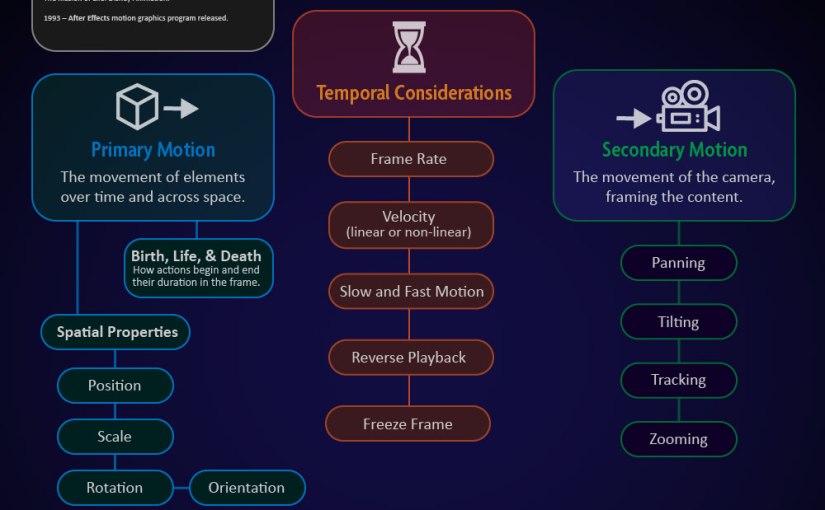
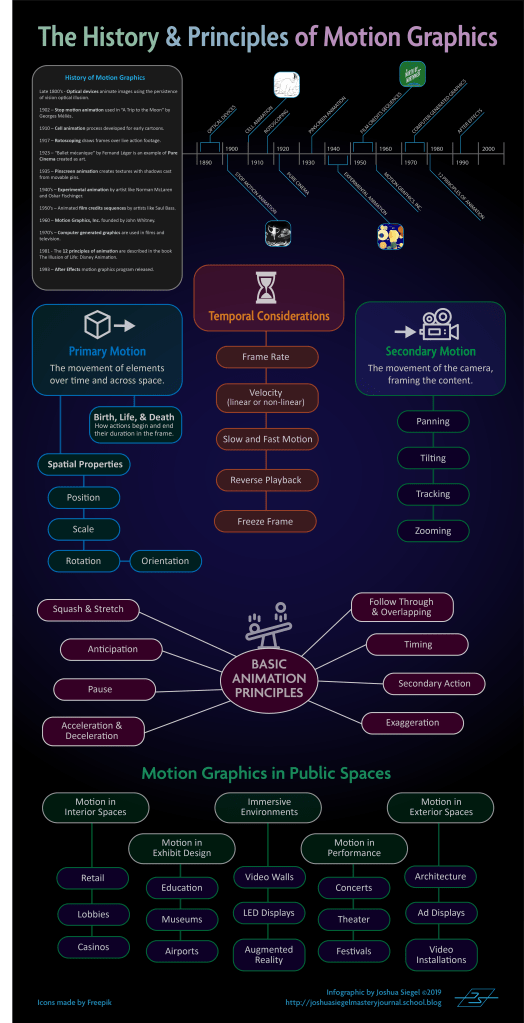
The infographic below was created in Adobe Illustrator using information from the book Motion Graphic Design, 3rd Edition by Jon Krasner.

The History and Principles of Motion Graphics infographic by Joshua Siegel

The Structure of Motion in Design
Its history, theory, and application

Overview

The majority of this week’s information comes from the book Motion Graphic Design, 3rd Edition by Jon Krasner (2013). Krasner provides a brief but thorough review of the history, inventions, and innovators of Motion Graphics. He describes the many applications of Motion Design in film, television, interactive media, and public spaces.

Furthermore, Krasner explains the basic theories and principles of animation. These principles were established by Disney animators and described in the book The Illusion of Life by Frank Thomas and Ollie Johnston (1995). The online article “Understand Disney’s 12 Principles of Animation” by Tammy Coron (2019) summarizes the book and provides sample animations for each principle.

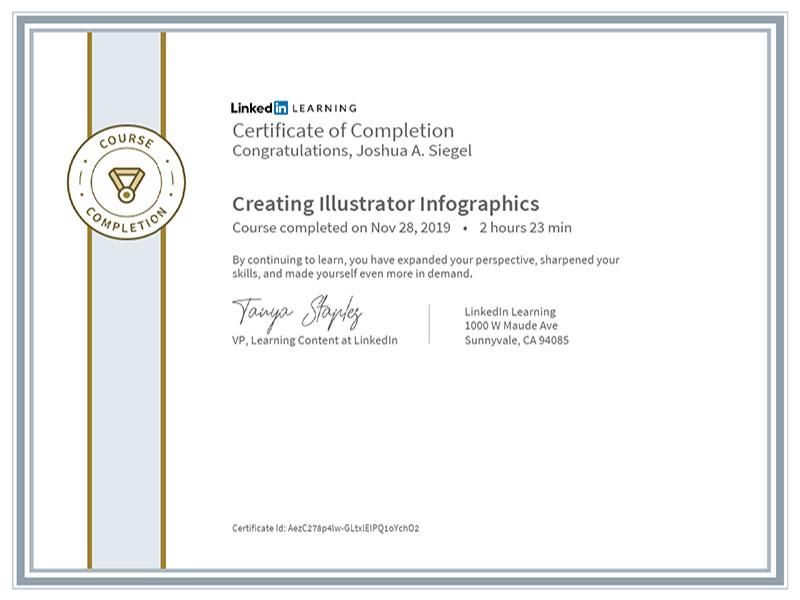
The concepts learned from these books and articles were displayed in an infographic created in Adobe Illustrator. Prior to creating the infographic, I completed the LinkedIn Learning course “Illustrator Infographics” by Tony Harmer (2019).

Certificate – Creating Illustrator Infographics

Acquired Competencies

The following are concepts or skills learned in the first week of the Organizational Structures course. They are categorized as Academic (pertaining to school work) or Occupational (pertaining to work in the Media Design field), and Technical (pertaining to software or other design skills) or Conceptual (new terminology, procedures, or ideas).

History of Motion Graphics (academic, conceptual)

Precursors of Animation: Multiple optical devices used the persistence of vision phenomenon to achieve early forms of animation.

Early Cinematic Inventions: Animation evolved with motion pictures in many forms including stop-motion and cell animation.

Experimental Animation and Innovators: Animators create new techniques for motion design and pure artistic expression.

Motion Literacy (occupational, technical)

Primary (Object) Motion: Animation of an element’s spatial properties and how it moves over time and across space.

Secondary (Camera) Motion: Movement of the camera and how it frames the content.

Temporal Considerations: Linear movements mimic mechanical devices, while non-linear movements are more natural. Techniques such as slow motion and reverse playback can alter the sense of time.

Principles of Animation: The basic language of how objects move was established by Disney animators and described in the book The Illusion of Life by Frank Thomas and Ollie Johnston (1995).

Motion Graphics Applications (academic, conceptual)

Motion Graphics in Public Spaces: LED technology makes large public displays more interactive and purpose driven.

Motion Graphics in Film, Television, and Interactive Media: Animation can entertain, inform, and drive audience participation by combining traditional graphic design with the visual language of film.

Infographics Design (occupational, technical)

Creating Adobe Illustrator Infographics: Adobe Illustrator, Microsoft Excel, and other programs provide many tools for creating data-driven illustrations.


References:

Coron, T. (2019, June 17). Understand Disney’s 12 principles of animation. Retrieved from https://www.creativebloq.com/advice/understand-the-12-principles-of-animation

Harmer, T. (2019, July 19). Illustrator Infographics. Retrieved from https://www.linkedin.com/learning/creating-illustrator-infographics/illustrator-infographics?u=50813145

Krasner, J. (2013). Motion graphic design. Applied history and aesthetics. 3rd, rev. ed. Oxford: Focal Press. Retrieved from https://learning.oreilly.com/library/view/motion-graphic-design/9780240821139/

Thomas, F., & Johnston, O. (1995). The illusion of life: Disney animation. New York: Hyperion.