

This week I completed the Branding course from Adobe Education Exchange.
Our next assignment was to create a 3D visualization for the brand using Adobe Dimension.
This was my first time using Dimension. My previous 3D experience was in Photoshop and After Effects, mostly with the Element 3D plugin from Video Copilot.
Adobe Dimension is an easy way to create product mockups and other brand visualizations. The interface is a bit different from the Adobe apps I’m used to, but with help from the intro tutorial I created my first mockup in minutes.

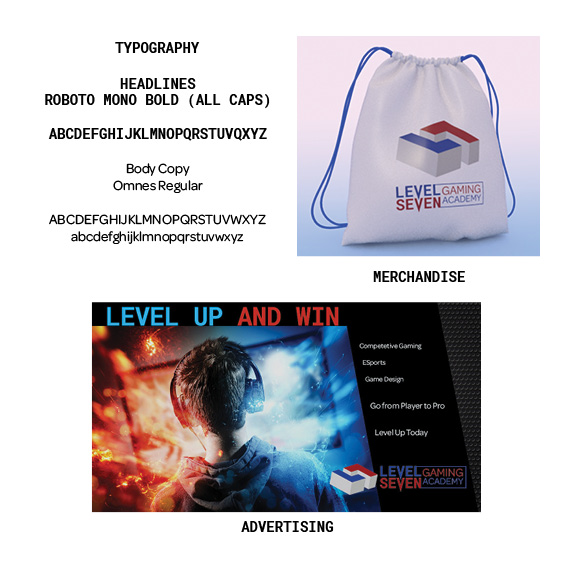
The next assignment in the Branding course is to create a print ad in Adobe InDesign. I started with the headline “Level Up and Win” and licensed an image from Adobe Stock. I adjusted the colors and curves of the image and placed it over a metal grill background that I downloaded free from Pixabay.com.

I’ve used InDesign since 2013, so this exercise was pretty basic. However, it was fun writing headlines and body copy for an ad. It as good practice for the Copywriting class I’m taking this month as part of the Media Design MFA program at Full Sail University.
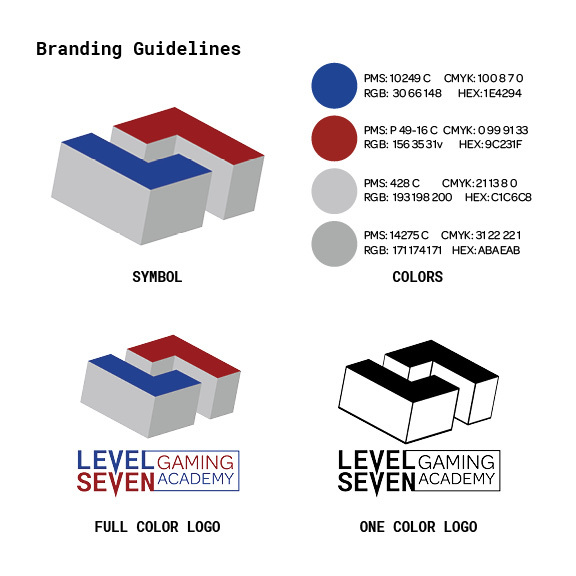
The final exercise for the Branding course is to create a basic Style Guide for our brand identity. I followed the example in Ali Blackwell’s video tutorial but added a Typography category.
Overall, this course provided a good introduction to creating a brand identity, visual assets, and a style guide to keep things consistent. I learned how to use Adobe Dimension for product visualizations and got good practice using Illustrator, Photoshop, and InDesign.
 Joshua Siegel's Mastery Journal